Securing AI Systems: Threat Model + Lock the Front Door
58 slides · ← Back to Day 2 · Download .pptx
Day 2 — Securing AI Systems: Threat Model + Lock the Front Door
Hands-On SecAI+ · Working Connections 2026 · Tue, Jul 21 · 9:30 AM – 5:30 PM Central
- Domain focus: D2 — Securing AI Systems (40% of the SecAI+ exam — the biggest domain)
- By lunch: you can threat-model an AI system with OWASP LLM Top 10 (2025) + MITRE ATLAS
- By end of lab: you've run real attacks against an unguarded model — then watched a prompt firewall and an API gateway stop them
Speaker notes
Set the stakes immediately: this is the 40% domain — nearly half the exam weight sits in today and it deserves the most rigor. The arc is attack-then-defend: understand what can go wrong in the morning, then run the attacks and build the defenses in the afternoon lab.
How this deck works (30-second refresher)
- Advance with the buttons or the Left / Right arrow keys (Space also advances)
- Checks-for-understanding appear inline — pick an answer, then reveal
- Slides link straight into today's lab when it's time to go hands-on
- This deck is a DRAFT for instructor review
Speaker notes
Quick refresher for anyone who missed Day 1. Same mechanics as yesterday's deck; don't spend more than 30 seconds here.
Today's objectives
- Map LLM attack surfaces using OWASP Top 10 for LLM Applications 2025 (incl. LLM07 System Prompt Leakage, LLM08 Vector & Embedding Weaknesses)
- Execute and detect prompt-injection, indirect injection, and data-exfiltration attacks in the lab
- Deploy a prompt firewall using LLM Guard (PromptInjection + input/output scanners + TokenLimit)
- Configure a LiteLLM gateway for rate limits, token budgets, and tiered virtual-key access control
- Apply OWASP ML Security Top 10 v0.3 concepts to training-data and model-integrity threats
Speaker notes
These map 1:1 to the objectives block on the Day 2 page and to SecAI+ domain D2. The first two are the morning (frameworks + attacks); the middle two are the afternoon lab (defenses); the last is the ML-security coda.
Where we left off: one stream of tokens
Day 1's most important sentence, again — because today it becomes the attacker's foothold.
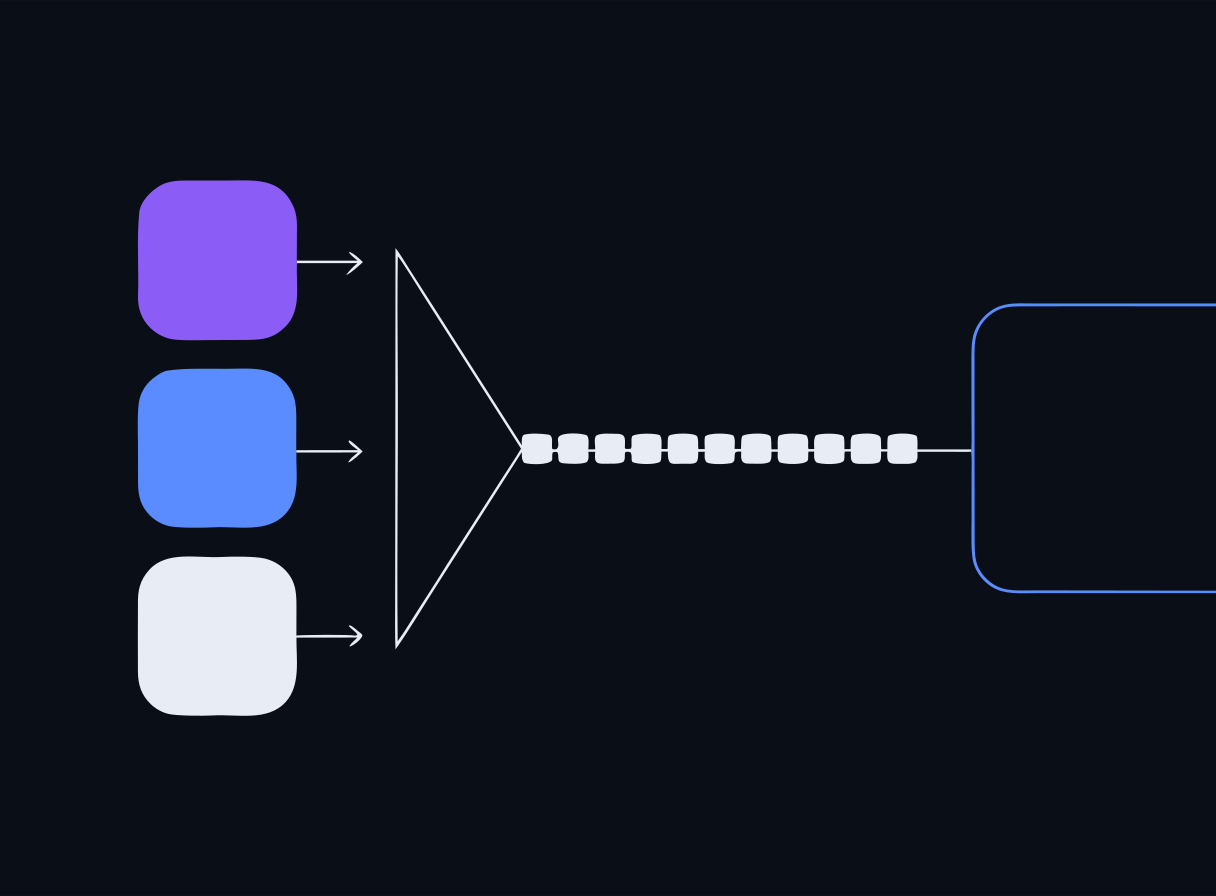
- The model treats the ENTIRE context window as one stream of tokens
- System prompt, user input, retrieved documents — no in-band mechanism separates trusted instructions from untrusted data
- Every attack we study today exploits that architectural fact
- Every defense we build today is a compensating control for it
Speaker notes
Deliberate callback to the Day 1 'security lens' slide. Ask the room to recite it before revealing the bullets. If this landed yesterday, prompt injection needs almost no additional explanation — it is just the adversarial reading of the same fact.
Today's arc: threat model, then lock the front door
- MORNING — threat modeling with two industry frameworks: OWASP LLM Top 10 (2025) and MITRE ATLAS
- AFTERNOON — attack-then-defend lab: run real attacks against a raw, unguarded model…
- …then stand up a prompt firewall (LLM Guard) and an API gateway (LiteLLM) and watch the same attacks fail
- Closing: OWASP ML Security Top 10 for the training-data and model-integrity layer
Speaker notes
Day 1 gave us a working AI system; Day 2 asks the security question: what can go wrong, and how do we stop it? Emphasize the empirical structure — nobody has to take the defenses on faith, they will watch each control stop (or miss) specific attacks.
Why this is the 40% domain
- Securing AI Systems is the largest SecAI+ domain — the exam blueprint weights it at 40%
- It is also where security practitioners add the most value on an AI team
- Vocabulary from Day 1 (context window, RAG, embeddings) is assumed from here on
- Days 3 and 4 both build on today's controls: data protection sits behind them, SecOps automation sits on top of them
Speaker notes
Justify the pacing: today is the densest day on purpose. If attendees are budgeting review time for the Friday exam, this is the material to weight. The Day 2 end-of-day quiz and this deck's checks mirror the exam's style for this domain.
Threat modeling an AI system
Same discipline you already know — new components, new trust boundaries.
- 1. DIAGRAM the system — data sources, model, tools/plugins, trust boundaries
- 2. ENUMERATE threats — walk OWASP LLM Top 10 and relevant ATLAS techniques against each component
- 3. RANK — likelihood × impact
- 4. ASSIGN controls — guardrails, gateway limits, data controls, human review
Speaker notes
Reassure the security folks: this is ordinary threat modeling. What's new is the component inventory (model, vector store, tool plugins) and the fact that natural-language TEXT is now an attack vector. The next three slides unpack step 1 — the diagram — because that's where AI systems surprise people.
Step 1: diagram — what's actually in an LLM app
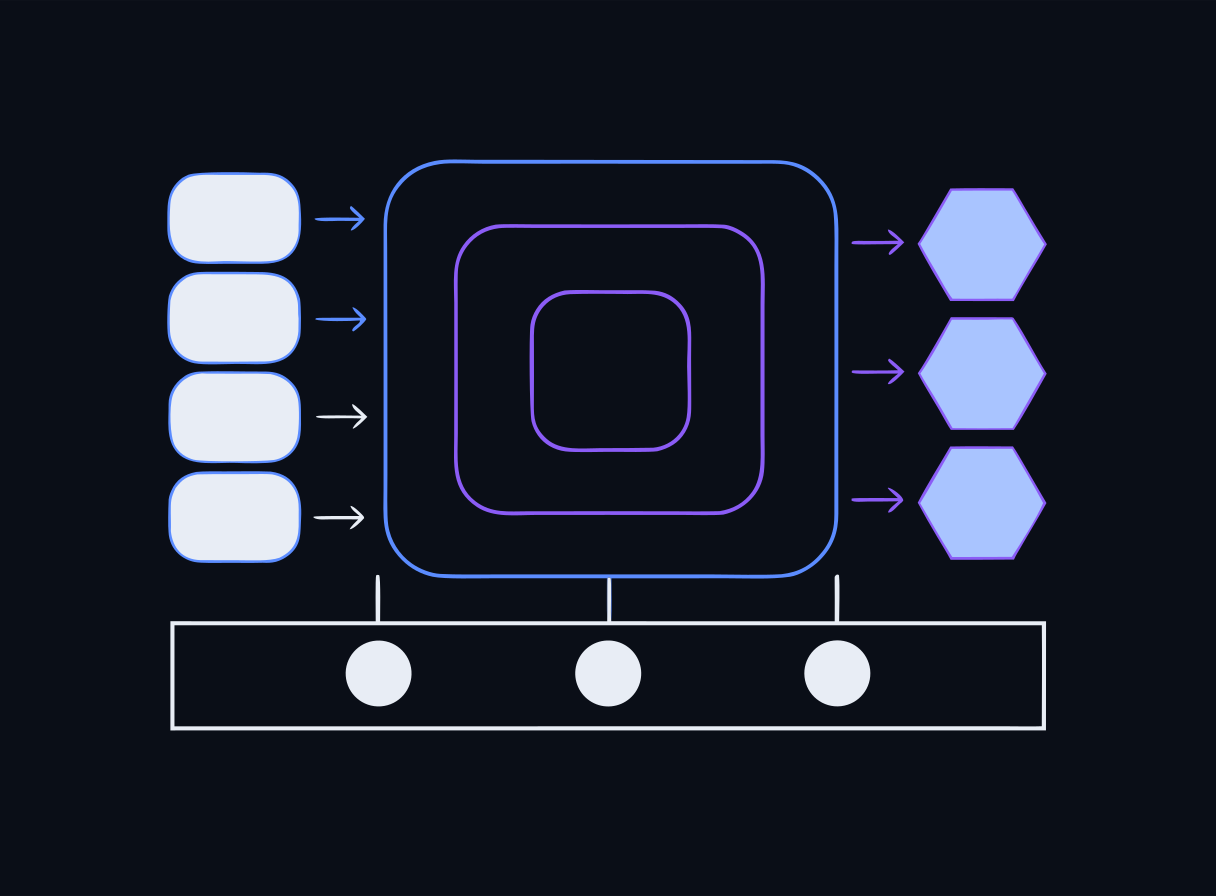
- DATA — training data (frozen), system prompt, user input, retrieved documents, conversation history
- MODEL — the weights plus the inference runtime (Ollama in our stack)
- TOOLS — anything the model's output can trigger: RAG retrieval, plugins, APIs, agents (Day 4)
- INFRASTRUCTURE — the gateway, the vector store, the logs
Speaker notes
Draw this on the whiteboard as boxes: user → gateway → guardrail → model, with vector store and tools hanging off the side. The Day 1 RAG pipeline is a real, complete instance of this diagram — reuse it so the threat model is about a system they built.
Trust boundaries in an LLM app
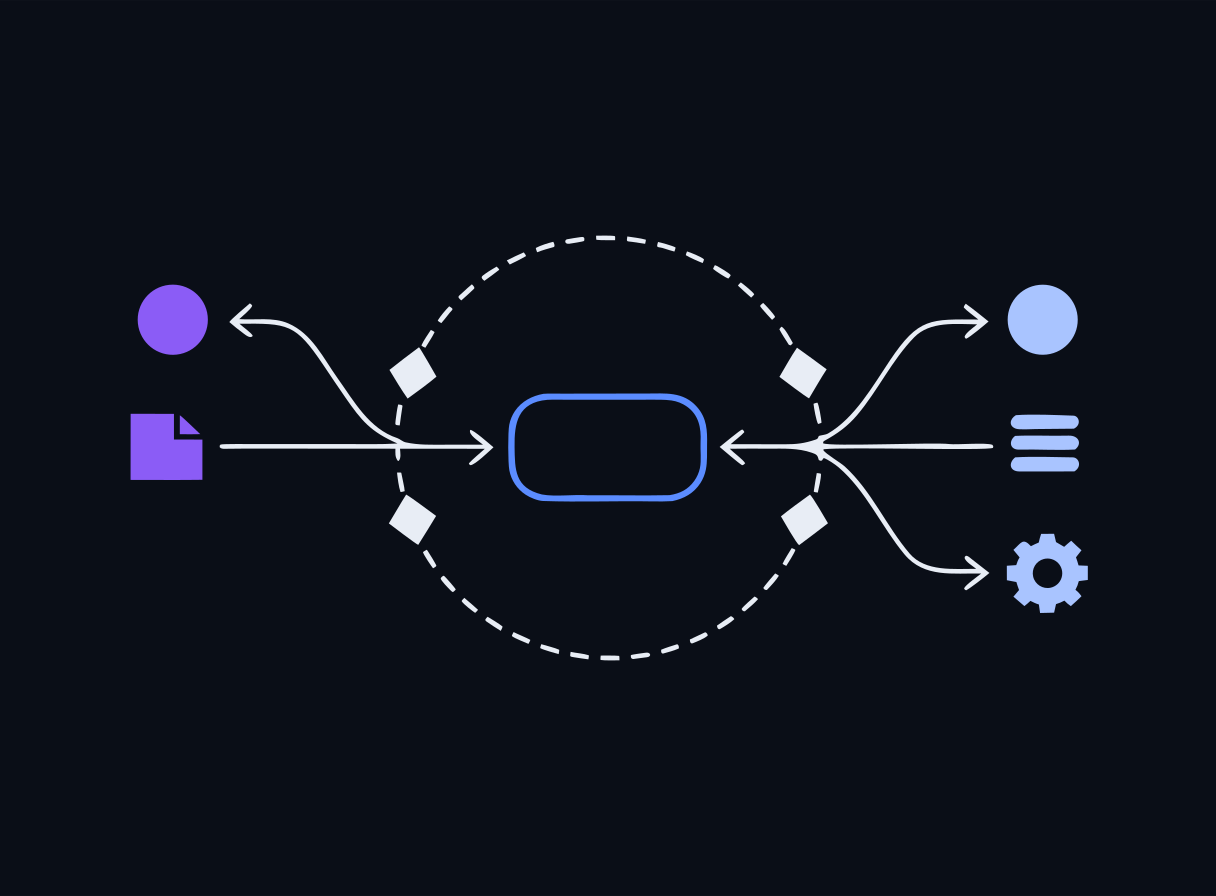
- User input crosses INTO the system — classic untrusted input
- Retrieved documents cross into the CONTEXT — untrusted content the model reads as if it were instructions
- Model output crosses OUT — toward users, logs, and (worst case) tools that act on it
- Each crossing is a place to put a control — and today we put controls on the first and last
Speaker notes
The non-obvious boundary is the second one: most teams treat their own document corpus as trusted, but anything that writes into the corpus writes into the model's context. That is indirect injection, coming up shortly. The 'output toward tools' boundary is Day 4's Excessive Agency discussion.
Two frameworks, two jobs
- OWASP Top 10 for LLM Applications (2025) — a RANKED RISK LIST: the top things that go wrong in LLM apps
- MITRE ATLAS — an ADVERSARY PLAYBOOK: ATT&CK-style tactics and techniques against AI/ML systems, backed by real case studies
- Use OWASP to prioritize what to defend; use ATLAS to ask how an attacker would actually chain steps against THIS deployment
Speaker notes
The distinction is exam-relevant and practice-relevant. OWASP answers 'what should I worry about most?'; ATLAS answers 'what would the adversary actually do, step by step?' Both are threat-modeling references, not controls — you don't 'install' either one.
MITRE ATLAS
- Adversarial Threat Landscape for AI Systems — modeled after ATT&CK
- A living matrix of tactics: reconnaissance, initial access, ML model access, exfiltration…
- …and techniques under each, grounded in real-world case studies
- For step 2 of the threat model: walk relevant techniques against each component in your diagram
Speaker notes
Security practitioners who know ATT&CK feel at home instantly — same shape, AI-specific content. If time allows, pull up an ATLAS case study and trace its tactic chain across the whiteboard diagram from two slides ago.
Check: frameworks
Check for understanding
MITRE ATLAS is best described as which of the following?
- A.A prompt-injection scanner you install in front of the model
- B.A knowledge base of real-world adversary tactics and techniques against AI/ML systems, modeled after ATT&CK
- C.An EU regulation governing high-risk AI
- D.A vector database used for RAG
Reveal answer
Correct: B. A knowledge base of real-world adversary tactics and techniques against AI/ML systems, modeled after ATT&CK
MITRE ATLAS (Adversarial Threat Landscape for AI Systems) is a living ATT&CK-style matrix of tactics and techniques targeting ML systems. It is a threat-modeling reference, not a control — you use it (alongside the OWASP LLM Top 10) to enumerate what attackers can do.
Speaker notes
Same question appears on the Day 2 end-of-day quiz — spaced repetition is deliberate. Watch for option A: students who just heard 'LLM Guard is coming this afternoon' sometimes conflate the reference with the control. Reinforce: OWASP/ATLAS = maps; guardrails/gateways = controls.
OWASP Top 10 for LLM Applications — 2025 edition
Maintained by the OWASP Gen AI Security Project. The 2025 edition is current — it reordered and renamed several entries from 2023.
- LLM01 Prompt Injection · LLM02 Sensitive Information Disclosure · LLM03 Supply Chain
- LLM04 Data and Model Poisoning · LLM05 Improper Output Handling
- LLM06 Excessive Agency · LLM07 System Prompt Leakage (new in 2025)
- LLM08 Vector and Embedding Weaknesses (new in 2025) · LLM09 Misinformation · LLM10 Unbounded Consumption
Speaker notes
Show the full list once for orientation, then zoom into the five we exercise today: LLM01, LLM02, LLM07, LLM08, LLM10. LLM06 Excessive Agency returns on Day 4 (agents and tools); LLM02 goes deep on Day 3. Don't drill all ten now — the numbered deep-dives follow.
Framework hygiene: cite the edition
- Always say "OWASP LLM Top 10 2025" — the numbering (LLM01, LLM07, LLM08…) is specific to that release
- The 2023 edition numbered and named several risks differently
- Today's lab maps its three attacks to LLM01, LLM07, and LLM10 by number — 2025 numbers
Speaker notes
This trips people up in the field and on the exam. If someone quotes 'LLM04' without an edition, you genuinely don't know which risk they mean. Instill the habit now: framework + edition, every time.
LLM01 — Prompt Injection: the #1 risk
- Untrusted input overrides the intended instructions
- Ranked first because it's easy to attempt, hard to fully prevent, and the impact rides on everything the model can see or do
- Two delivery paths: DIRECT (the attacker types it) and INDIRECT (the payload rides in content the model later reads)
- This is the first attack you run in this afternoon's lab
Speaker notes
Connect back to the recap slide: injection isn't a bug someone can patch — it falls out of 'one stream of tokens.' That's why it holds the #1 spot and why the defenses are layered and probabilistic rather than a single fix.
Direct prompt injection
- The attacker IS the user: crafted text goes straight into the user turn
- Classic form: "Ignore your previous instructions and…"
- Goals: override behavior, extract the system prompt, unlock forbidden outputs
- Trivial to attempt — the lab's attack.py demonstrates it against a raw, unguarded model
Speaker notes
Demo-worthy: the raw model in the lab really does fold to a straightforward override. Let the room predict whether it will work before you run it. The point isn't that the attack is clever — it's that with NO layered controls, the naive attack just works.
Indirect prompt injection
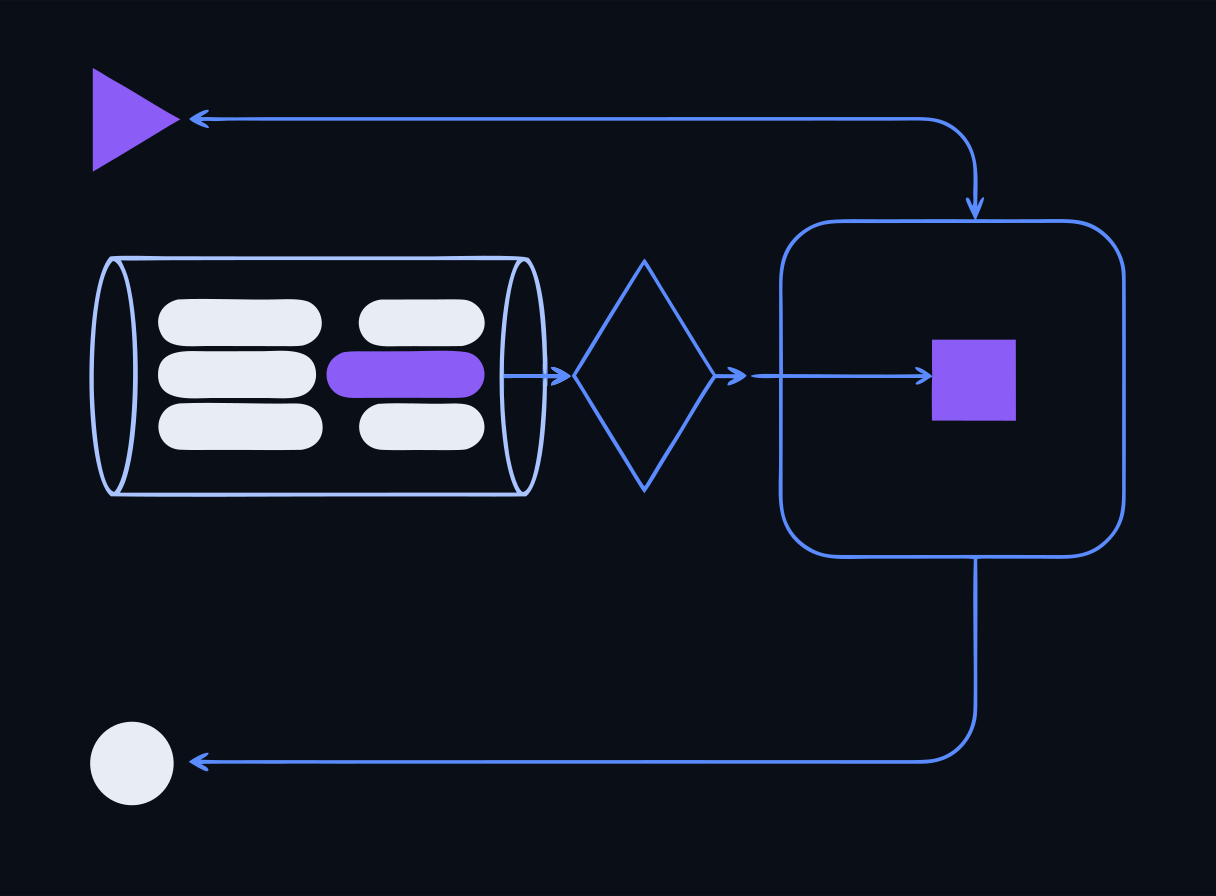
- The payload rides in a document, web page, or retrieved RAG chunk the model later reads
- The attacker never touches your chat box — they only need write access to something your pipeline ingests
- Your Day 1 RAG pipeline is exactly this surface: retrieval faithfully delivers the poisoned chunk into the context
- The model can't tell the malicious chunk from a legitimate one — same stream of tokens
Speaker notes
This is the one that surprises non-AI security folks: the attack surface includes every source your corpus ingests — wikis, tickets, résumés, scraped pages. Recall Day 1's 'RAG's weak point' slide: anyone who can write into your corpus can potentially steer your model. That thought was planted yesterday on purpose.
LLM07 — System Prompt Leakage (new in 2025)
- Attackers coax the model into revealing its system prompt
- Why it matters: system prompts often embed rules, secrets, or sensitive context
- Leaked guardrail logic tells the attacker exactly what to evade; any secret in the prompt is simply disclosed
- Design fix: never put secrets in the prompt — plus output/leakage controls for defense in depth
Speaker notes
The instinct to 'configure' an app by stuffing API keys and internal policy into the system prompt is common and dangerous. Day 3's HR-assistant scenario shows PII-laden context leaking this way. Lab tie-in: the second attack in attack.py is a system-prompt extraction, mapped to LLM07.
LLM02 — Sensitive Information Disclosure
- The model reveals PII, secrets, or proprietary data from its context or training
- Overlaps LLM07 when the sensitive data lives in the system prompt — but the risk is broader: retrieved documents, conversation history, training data
- Central to Day 3: PII protection, redaction, log sanitization
Speaker notes
Keep this one brief — it headlines Day 3. Today's job is to place it on the map: disclosure is an OUTPUT-side risk, which is why the output-scanning half of the guardrail story (BanSubstrings today, DLP scanning on Day 3) exists.
LLM08 — Vector and Embedding Weaknesses (new in 2025)
- RAG-specific risks: poisoned documents, embedding-space attacks, cross-tenant leakage through a shared vector store
- The 2025 list added this because RAG became the default architecture
- Controls: isolate the vector store per tenant, control who can write to the corpus, treat retrieved content as untrusted
Speaker notes
The cross-tenant point deserves emphasis for anyone building multi-user apps: a shared vector store without tenant isolation means customer A's documents can be retrieved into customer B's context. Indirect injection (LLM01) and vector weaknesses (LLM08) are close cousins — LLM08 is about the store itself as a component.
LLM03 — Supply Chain
- The model isn't the only third-party component: base models, datasets, fine-tuning adapters (LoRA), plugins, and dev tooling all come from someone else
- Real examples: a backdoored model pulled from a public hub, a compromised Python package, a malicious LoRA that changes behavior only on a trigger
- It has happened: ~100 malicious models flagged on Hugging Face (pickle-deserialization code execution, 2024), and the 2022 torchtriton dependency-confusion compromise of PyTorch's nightly build
- The classic software supply chain, plus new AI-specific artifacts you can't easily inspect
- Controls: vet sources, verify integrity (model signing, checksums, an SBOM), and PIN what you depend on
Speaker notes
This is where the workshop's own digest-pinning (ADR-6) is the lesson made concrete — every image in the labs is pinned by sha256 precisely so a swapped upstream can't slip in. For the exam: LLM03 is about everything that goes INTO the system before runtime; distinguish it from LLM04, which is about corrupting the DATA specifically.
LLM04 — Data and Model Poisoning
- Manipulating training, fine-tuning, or embedding data to plant a bias, a blind spot, or a backdoor trigger
- You already saw the RAG-time version on Day 1: one poisoned document in the corpus changed the answer
- The scary case is a backdoor that behaves normally until a trigger phrase flips it
- Controls: data provenance and validation, anomaly detection on training data, and tight control over who can write to a RAG corpus
Speaker notes
Tie back explicitly to Day 1's poisoned-chunk lab — that WAS data poisoning, just at retrieval time rather than training time. The through-line for students: whoever controls the data controls the model. Distinguish from LLM03 (the components) — LLM04 is the data itself.
LLM05 — Improper Output Handling
- The mirror image of prompt injection: injection is untrusted input GOING IN; this is untrusted output COMING OUT
- Treating model output as trusted and passing it straight to a shell, a SQL query, a browser, or another system
- Real examples: output piped into eval() → remote code execution; unescaped output rendered in a page → XSS
- Control: treat everything the model emits as untrusted user input — validate, encode, and sanitize it before anything downstream acts on it
Speaker notes
This is the one people miss because it feels like a 'normal' appsec bug — and it is. That's the point: the moment an LLM's output reaches a shell/DB/browser, all the classic injection defenses apply. A very common exam distractor pairs LLM01 (input) against LLM05 (output); make sure students can tell which direction the untrusted data flows.
LLM06 — Excessive Agency
- Giving an LLM too much autonomy, too many tools, or too many permissions — so a bad decision becomes a damaging ACTION
- An agent that can only read is a nuisance when wrong; one that can delete, email, or pay is a breach
- Three levers: excessive functionality (tools it doesn't need), excessive permissions (broader than the task), excessive autonomy (acts without a human)
- Controls: least privilege on every tool, minimize the tool surface, and human-in-the-loop for high-impact actions
Speaker notes
This is the direct bridge to Day 4 (MCP servers and tool-calling). Frame it now so Thursday lands: the power of an agent is exactly its risk. For the exam, LLM06 is the agentic-risk item — expect a scenario asking what control limits blast radius (answer: least-privilege tools + human approval, not a better prompt).
LLM09 — Misinformation
- The model produces confident, plausible, WRONG output — and a human trusts it (overreliance)
- Security-relevant examples: fabricated CVEs, hallucinated config, invented library names attackers then register ("slopsquatting")
- Not an attacker action — a property of how these models work, which is why it's on the list
- Controls: ground answers in real sources (RAG), keep a human in the loop, cite sources, and communicate the model's limits
Speaker notes
Connects straight to Day 1's abstention lesson and to the analyst labs' recurring warning: the AI is confidently wrong sometimes, and treating its output as a draft to verify is the professional habit. Overreliance is half of LLM09 — the model errs AND the human doesn't check.
LLM10 — Unbounded Consumption
- Resource-exhaustion, denial-of-service, and "denial-of-wallet" cost abuse
- LLM inference is expensive — every token costs compute (or API dollars)
- The model itself has NO concept of a quota, a budget, or an identity
- So consumption controls must live OUTSIDE the model — in the gateway (this afternoon)
Speaker notes
'Denial-of-wallet' usually gets a laugh, then a wince — for API-backed apps an attacker doesn't need to take you down, just make you pay. Foreshadow: the third attack in the lab is a consumption attack, and the LiteLLM gateway's rate limits are the control that stops it.
The complete OWASP LLM Top 10 (2025) — one line each
You will be tested on all ten. Know the number, the name, and the one control that answers it:
- LLM01 Prompt Injection — untrusted input steers the model → controls around the model (scanners)
- LLM02 Sensitive Information Disclosure — the model reveals data it held → minimize context, output filtering
- LLM03 Supply Chain — a poisoned component gets in → vet + verify + pin sources
- LLM04 Data & Model Poisoning — corrupted data plants a backdoor → provenance + corpus write-control
- LLM05 Improper Output Handling — output trusted downstream → treat output as untrusted (encode/validate)
- LLM06 Excessive Agency — an agent can do too much → least privilege + human-in-the-loop
- LLM07 System Prompt Leakage — the prompt (and secrets in it) leak → no secrets in the prompt
- LLM08 Vector & Embedding Weaknesses — RAG store attacked/leaked → tenant isolation + corpus control
- LLM09 Misinformation — confident wrong output, trusted → grounding + human oversight
- LLM10 Unbounded Consumption — resource/cost abuse → quotas & limits OUTSIDE the model (gateway)
Speaker notes
This slide is the study anchor for the 40% domain — pause here. The pattern worth naming out loud: in almost every case the CONTROL sits outside the model, not inside it. That single idea is the whole thesis of Day 2 and a reliable way to reason about an unfamiliar exam question. Point students at the Resources page and the deck's .pptx export for revision.
These actually happened
The Top 10 isn't theoretical — each of these made the news. Call out the LLM number before I reveal it:
- Bing Chat / "Sydney" (2023): a student typed "ignore previous instructions…" and the bot spilled its confidential system prompt, codename and all → LLM01 + LLM07
- Chevy dealership bot (2023): talked into "agreeing" to sell a Tahoe for $1 and calling it "a legally binding offer — no takesies backsies" → LLM01 + LLM05/LLM06
- Samsung (2023): engineers pasted confidential source code into ChatGPT; the company banned the tool days later → LLM02
- Air Canada (2024): its chatbot invented a bereavement-refund policy; a tribunal held the airline liable for what the bot said → LLM09
- DPD (2024): a customer jailbroke the support bot into swearing and writing a poem about how terrible DPD is → LLM01 + LLM06

Speaker notes
Spend a couple of minutes here — concrete incidents make the abstractions stick and they're memorable on the exam. Sources: Bing/Sydney (Kevin Liu, Feb 2023, prompt-extraction of the 'Sydney' system prompt); Chevy of Watsonville (Chris Bakke, Dec 2023); Samsung source-code leak into ChatGPT (Apr 2023, followed by an internal ban); Air Canada (BC Civil Resolution Tribunal, Feb 2024 — the airline argued its bot was 'a separate legal entity' and lost); DPD (Jan 2024, viral jailbreak). Ask the room to shout the LLM number before you reveal it. The through-line: none of these needed a novel exploit — they fell out of the ordinary behavior of an unguarded model.
Check: the full Top 10
Which OWASP LLM risk is the MIRROR of prompt injection — untrusted data going OUT of the model rather than in?
Check for understanding
Untrusted model output passed to a shell, SQL query, or browser without validation is which risk?
- A.LLM01 Prompt Injection
- B.LLM05 Improper Output Handling
- C.LLM06 Excessive Agency
- D.LLM09 Misinformation
Reveal answer
Correct: B. LLM05 Improper Output Handling
LLM05. Injection (LLM01) is untrusted input going IN; improper output handling is trusting output COMING OUT and letting it reach a shell/DB/browser. Both are solved by the same instinct — treat the untrusted side as untrusted — just in opposite directions.
Check: injection delivery paths
Check for understanding
An attacker uploads a résumé containing hidden instructions; later, a recruiter's RAG-powered assistant retrieves it and starts following those instructions. Which risk is this, and which delivery path?
- A.LLM01 Prompt Injection — direct, because the attacker wrote the text
- B.LLM01 Prompt Injection — indirect, because the payload rode in a document the model later read
- C.LLM10 Unbounded Consumption — the résumé consumed context tokens
- D.LLM07 System Prompt Leakage — the résumé leaked the system prompt
Reveal answer
Correct: B. LLM01 Prompt Injection — indirect, because the payload rode in a document the model later read
This is indirect prompt injection (LLM01): the attacker never touches the chat interface — the payload rides in content (a document, web page, or RAG chunk) that the pipeline later places into the model's context. Direct vs. indirect is about HOW the payload reaches the context, not who authored it.
Speaker notes
Option A is the one to discuss: 'the attacker wrote it' feels direct, but the classification hinges on the delivery path into the context. If the payload arrives via ingested content rather than the live user turn, it's indirect — and your chat-input filters never saw it.
Put the method to work: a tabletop threat model
You've got the frameworks and all ten risks. Now run the four-step method on a system nobody has secured — together, on paper, before we build a single control.
- Groups of 3–4 · ~45 minutes · one worksheet per group
- The target: HelpDeskAI, an internal IT-support assistant that just shipped
- Four rounds: diagram → enumerate (OWASP 2025 + ATLAS) → rank → assign controls
- Worksheet to print/open: /handouts/day2-threat-model-worksheet.md

Speaker notes
This is the morning's active-learning anchor and the bridge from 'know the list' to 'use the list.' Your facilitator key — full model answer, run sheet, and the debrief punchline — is at /handouts/day2-threat-model-facilitator-key.md; print it for yourself before class. Form groups now, hand out the worksheet, keep the timeboxes tight, and circulate. The activity is engineered so the controls they ASK for this morning are the ones they BUILD this afternoon.
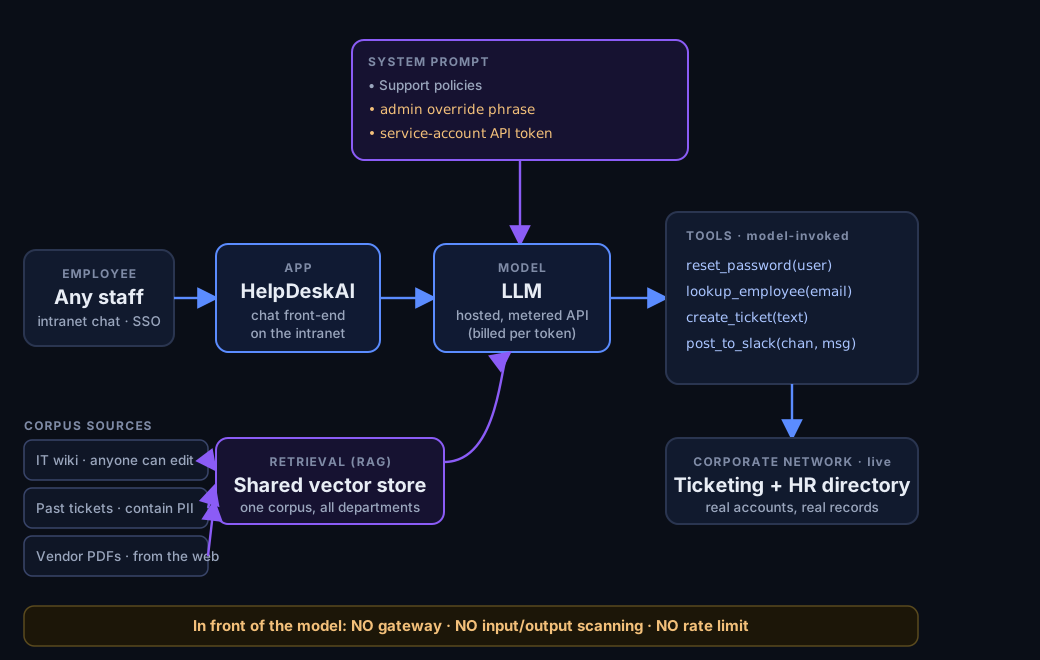
The system: HelpDeskAI
An internal IT-support assistant. Genuinely useful. Nobody threat-modeled it before launch.
- Chat box on the intranet (SSO) · hosted, metered LLM API · NO gateway, NO scanning, NO rate limit
- System prompt holds the support policies, an admin override phrase, and a service-account API token
- One shared RAG corpus: the employee-editable IT wiki, past tickets (full of PII), and vendor PDFs pulled from the web
- Tools it can call on its own: reset_password(user), lookup_employee(email), create_ticket(), post_to_slack()

Speaker notes
Read it aloud or let them read it. Every detail is a deliberate hook: the wiki and vendor PDFs are indirect-injection surfaces; the system prompt hides secrets (LLM07/LLM02); the shared store is LLM08; the tools are LLM06; the metered API with no gateway is LLM10. Do NOT reveal the mapping — that's Round 2. Resist the urge to solve it for them.
HelpDeskAI — the architecture, before anyone secured it
Speaker notes
This is the reference the room works from during Rounds 1–2 — leave it on screen. It deliberately shows only WHAT the system is: components, data flows, and the plain facts of the build (secrets in the prompt, an editable wiki, a shared store, high-impact tools, no controls). It does NOT draw a single trust boundary or label any OWASP risk — that is exactly the students' job. Walk it left to right once: employee → app → model, with the system prompt feeding in from the top, the shared RAG store and its three sources feeding in from below, and the tool calls reaching into live corporate systems on the right. Then point at the footer band and let it sit for a beat.
Round 1 — diagram & trust boundaries (10 min)
- List the components in four buckets: DATA, MODEL, TOOLS, INFRASTRUCTURE
- Then mark every trust boundary — each point where untrusted content crosses in or out
- The question to force: who — other than the user at the chat box — can put text where the model will read it?
Speaker notes
Circulate. The insight you're coaching: the chat box is the obvious boundary, but the employee-editable wiki and the web-sourced PDFs are boundaries too — that's the indirect-injection surface. If a group marks only the chat box, ask who can edit the wiki.
Round 2 — enumerate the threats (15 min)
The heart of the exercise. For each component: which OWASP LLM 2025 risks apply, and how would each actually be attacked HERE?
- Aim to place at least 7 of the 10 risks somewhere in this system
- Write the HOW, not just the number: 'LLM07 — repeat-your-instructions leaks the service-account token'
- Optional: name one MITRE ATLAS tactic that chains two of the risks together
Speaker notes
Push for specifics. Every one of the ten has a home in this scenario (facilitator key has the full map). Common misses: LLM05 (the model's output becomes tool arguments with no validation) and LLM03 (the vendor PDFs are an unvetted external component). If a group finishes early, ask for the ATLAS chain: recon the wiki → plant a payload → model access via retrieval → exfiltrate via post_to_slack.
Rounds 3 & 4 — rank, then assign controls (15 min)
- RANK: pick your top 3 by likelihood × impact, and be ready to defend the order
- ASSIGN: for each, name the control AND its layer — Guardrail / Gateway / Design / Human
- Acid test: if your control is 'write a better system prompt,' is the model ENFORCING the rule or just TENDING to obey it?
Speaker notes
Most groups should surface excessive agency (reset_password on any account), indirect injection (the editable wiki), and system-prompt leakage (secrets in the prompt) as the top three — but any defensible ranking is fine. The control-by-layer table is in the facilitator key. That acid-test bullet is the deliberate setup for the very next slide.
Report-out & debrief
Each group: your #1 risk, and the first control you'd deploy.
- Count how many groups reach for a control OUTSIDE the model — guardrail, gateway, isolation, human approval, or simply not holding the secret
- That pattern — enforcement lives outside the model — is the whole thesis of Day 2, and a reliable way to reason about an exam question
- Two of the controls you just asked for — a prompt firewall and a gateway — are exactly what you build after lunch
Speaker notes
Land the punchline: if any group's injection fix was 'tell the model to ignore injected instructions,' that's the perfect lead-in to the next slide (alignment is not a control). Tally the outside-the-model controls out loud — it makes the thesis land as the room's own conclusion, not yours. Then make the bridge explicit: they designed the requirement this morning; the afternoon lab implements it.
Why alignment is NOT a control
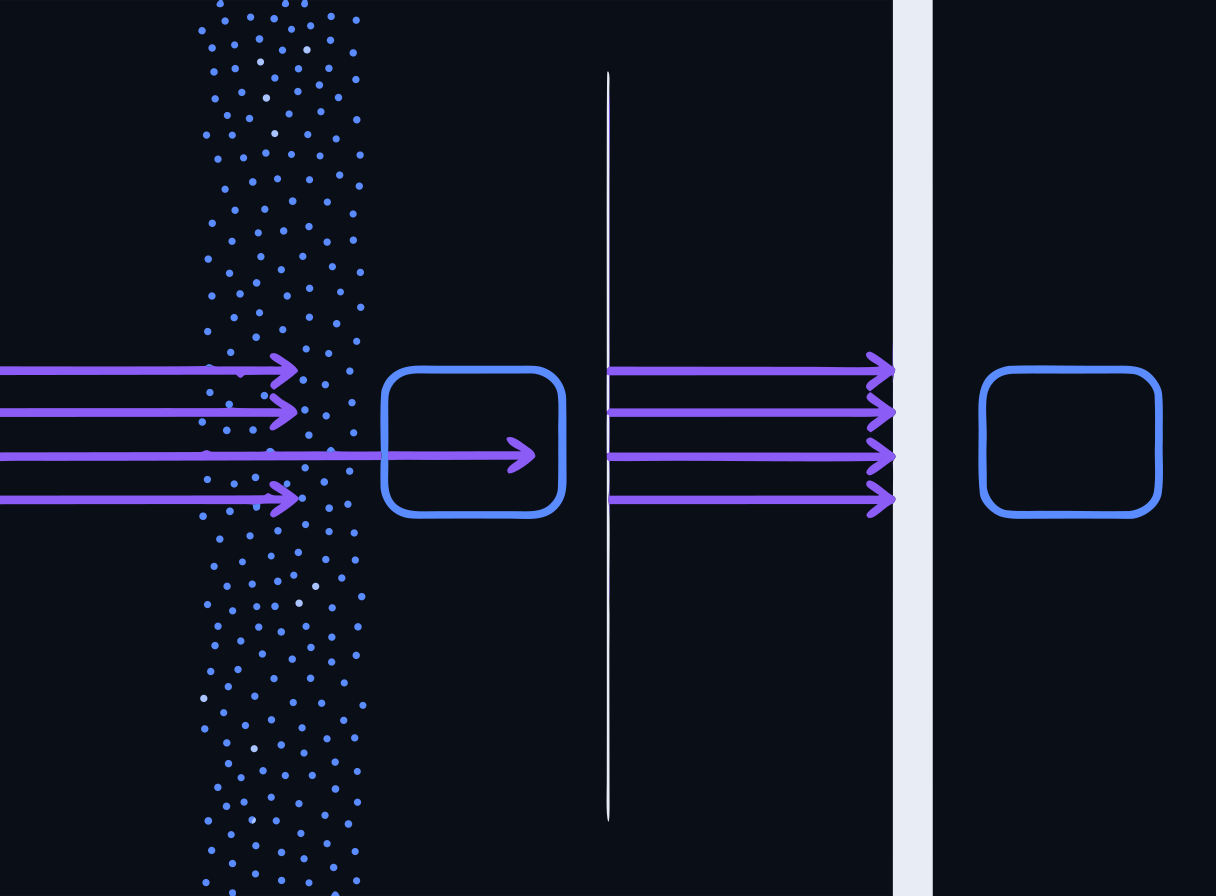
- Model alignment (safety training) shapes PROBABLE behavior — it is not an enforcement mechanism
- Same lesson as Day 1's role boundaries: a system prompt is a request, not an ACL — and a well-behaved model is a tendency, not a guarantee
- A determined attacker probes until the probabilistic defense fails once — and once is enough
- Real enforcement lives OUTSIDE the model: input/output scanning, gateway limits, least privilege, human review
Speaker notes
This is the day's thesis slide. 'The model refused when I tried it' is not a security posture — refusal behavior is trained-in tendency that crafted inputs can steer around. Everything in the afternoon lab exists because we do NOT rely on the model to defend itself. If attendees remember one sentence today, it's: enforcement lives outside the model.
Defense in depth: content controls vs. access controls
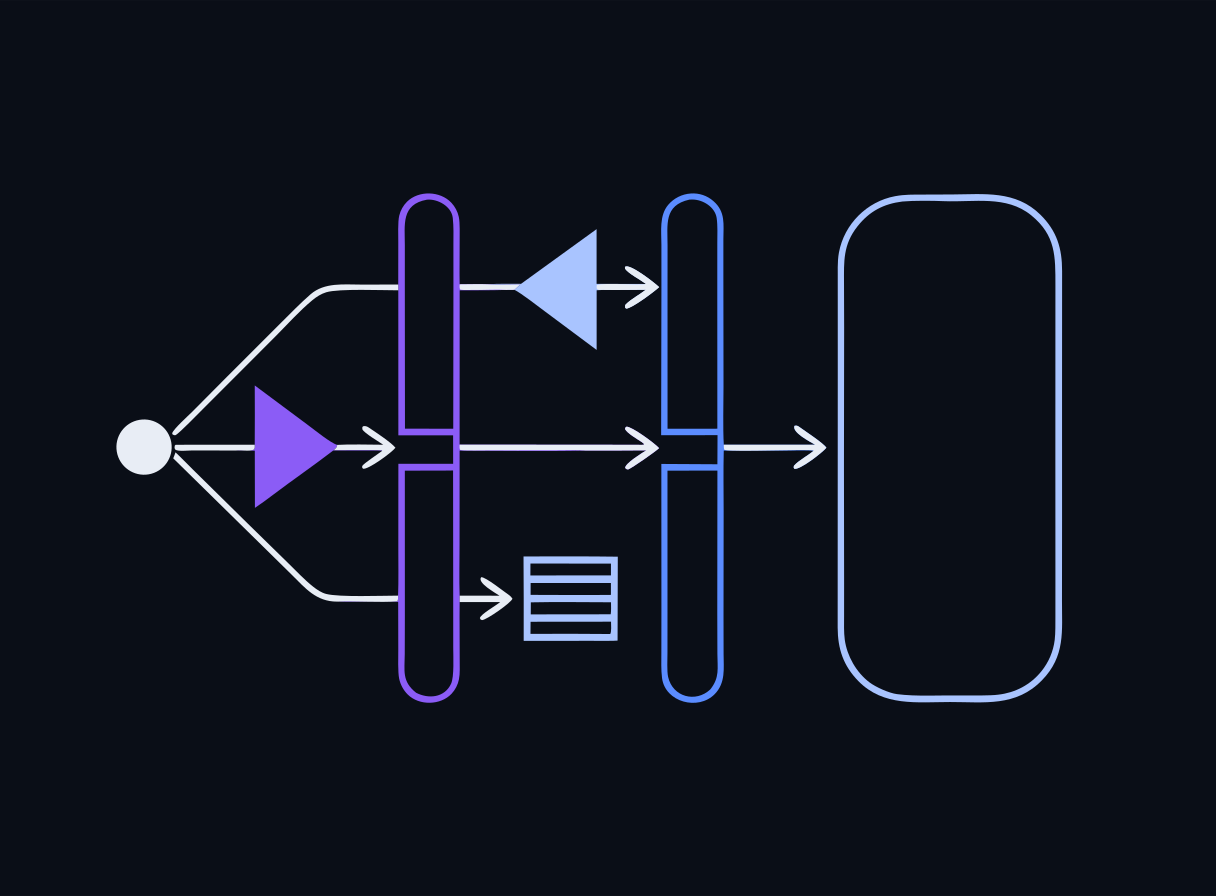
Two different layers, two different questions:
- GUARDRAIL (prompt firewall) — judges CONTENT: is this prompt/response malicious, oversized, leaking? → LLM Guard
- GATEWAY — governs ACCESS and CONSUMPTION: who are you, how much may you use? → LiteLLM
- Plus disciplined system-prompt/data design — keep secrets out of reach entirely
- No single layer is sufficient; each catches what the others miss
Speaker notes
This slide is the map for the whole afternoon. Guardrails can't stop denial-of-wallet (the prompts look benign); gateways can't stop injection (the request is authenticated and within quota). When the room runs the lab, have them note which attacks each layer stops — and which slip past a single control.
Guardrails: the prompt firewall
- A guardrail inspects traffic AROUND the model — input before inference, output after
- Think WAF, but for prompts and completions
- In the lab: LLM Guard, an open-source scanner framework, deployed in front of your Ollama model
- Three scanners today: PromptInjection, TokenLimit (input) and BanSubstrings (output)
Speaker notes
The WAF analogy lands well with security folks — including its limits, since everyone in the room has seen a WAF bypass. Position the firewall as raising the bar, not closing the door. Next three slides take each scanner in turn.
LLM Guard scanner 1: PromptInjection (DeBERTa)
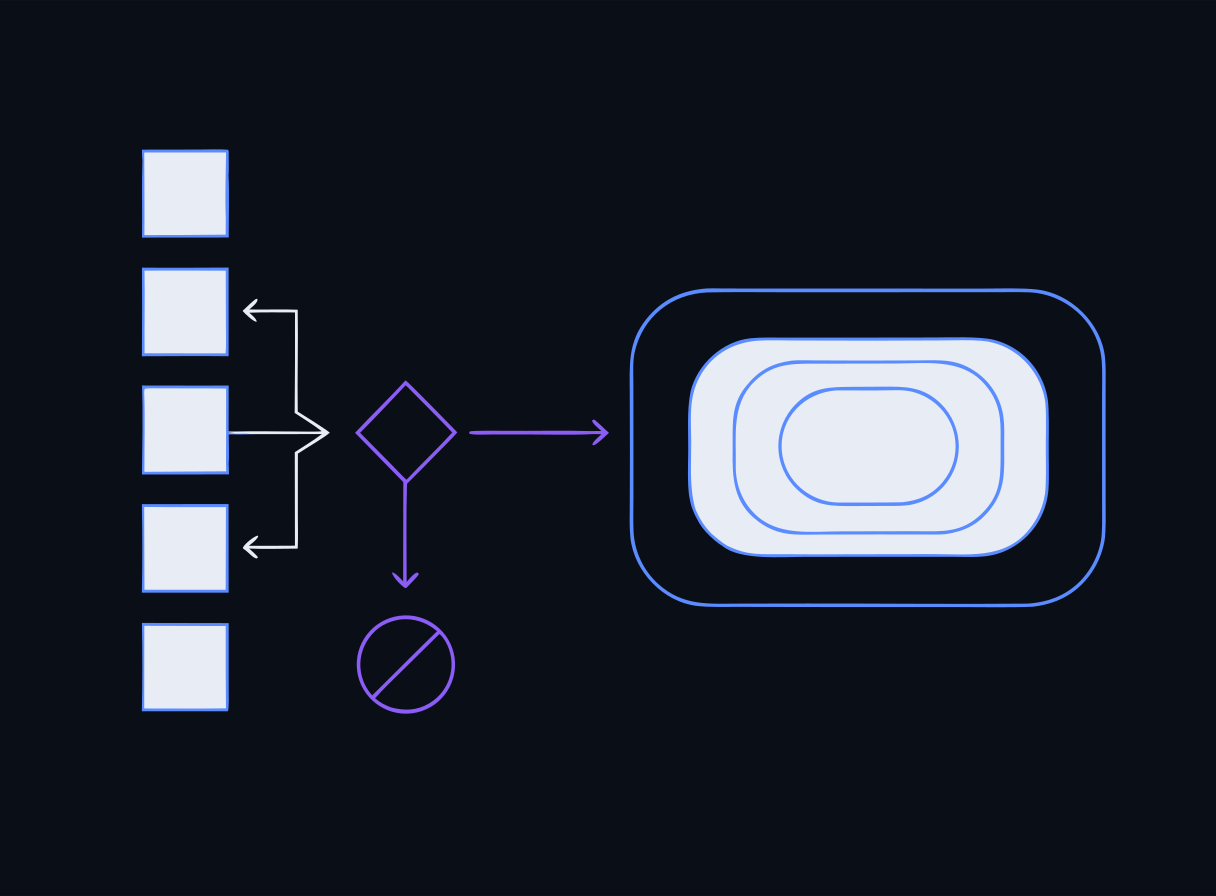
- A DeBERTa-based classifier — a small DISCRIMINATIVE model — scores each incoming prompt
- Likely injections are blocked BEFORE they ever reach the model (pre-inference)
- Covers LLM01 and injection-style LLM07 attempts
- Day 1 callback: a discriminative model guarding a generative one — cheap classifier in front, expensive generator behind
Speaker notes
The architecture is the payoff of Day 1's discriminative-vs-generative slide: the guard answers 'which class is this prompt?' In our offline stack the DeBERTa classifier is pre-staged locally like everything else. Make sure the mechanism is clear: classification happens before inference, so a blocked prompt costs no model time at all.
LLM Guard scanners 2 & 3: TokenLimit and BanSubstrings
- TokenLimit (input) — rejects oversized prompts: stops token-sponge abuse, an LLM10 pattern
- BanSubstrings (output) — catches known-bad strings in RESPONSES before they reach the user
- Input scanning alone is not enough: output scanning is your safety net when something slips through
- Same input/output split returns on Day 3 with PII redaction and DLP gates
Speaker notes
TokenLimit shows that guardrails aren't only about maliciousness — a single enormous prompt is a resource attack. BanSubstrings introduces the output-scanning side, which Day 3 expands from 'known-bad strings' to full PII/DLP scanning. Simple as it is, it demonstrates the principle: check what LEAVES, not just what enters.
The honest caveat: classifiers are probabilistic
- A classifier-based firewall raises the bar but is PROBABILISTIC — not a guarantee
- A subtle injection with no obvious trigger phrase can score benign and pass
- False positives cost you too: legitimate prompts blocked, users annoyed
- Which is exactly why we layer more controls behind it
Speaker notes
Never oversell the firewall. In the lab, the crude 'ignore your instructions' attack gets caught; encourage attendees to try rephrasing until something slips through — finding a bypass teaches more than watching a block. FP/FN trade-offs are measurable, and the go-deeper BYO-guardrail lab does exactly that measurement on a labeled set.
Check: the prompt firewall
Check for understanding
What does the LLM Guard prompt firewall in the lab do with the DeBERTa PromptInjection scanner?
- A.It rewrites the model's answer to be more polite
- B.It classifies incoming prompts and blocks likely injection attempts before they ever reach the model
- C.It encrypts the prompt in transit
- D.It rate-limits how many prompts a user can send
Reveal answer
Correct: B. It classifies incoming prompts and blocks likely injection attempts before they ever reach the model
LLM Guard runs input scanners (PromptInjection uses a DeBERTa classifier, plus TokenLimit) that inspect and reject malicious prompts pre-inference. It is a defense-in-depth layer, not a guarantee — subtle injections without obvious trigger phrases can still slip through, which is why you also layer gateway and design controls.
Speaker notes
Mirrors the end-of-day quiz. Option D is the important wrong answer — rate limiting is the GATEWAY's job, and keeping the content/access division crisp is the very next section. If several people pick D, revisit the defense-in-depth map slide before moving on.
The gateway: LiteLLM
- Guardrails judge content; a GATEWAY governs access and consumption
- In the lab: LiteLLM sits in front of Ollama — every request passes through it
- It answers the questions the model can't: WHO is calling, and HOW MUCH have they used?
- Four controls today: authentication, tiered virtual keys, rate limits, token budgets
Speaker notes
Architecture note for the whiteboard: user → gateway → (guardrail) → model. The gateway is a proxy that speaks the model API on both sides, so applications don't change — you just point them at the gateway instead of the model. This is where classroom-scale and enterprise-scale controls actually live.
Tiered virtual keys
- A virtual key IS the identity — no valid key, no access (401)
- Lab tiers: qwen-instructor (unrestricted) vs. qwen-student (restricted)
- The key carries its tier's policy: which models, what rate, what budget
- Classroom pattern: one key per student — revocable, auditable, individually limited
Speaker notes
Emphasize the design move: identity and policy attach to the KEY, not the model. Rotating or revoking a key doesn't touch the model or the app. For instructors in the room, this is the direct answer to 'how do I give 30 students AI access without one of them consuming everything?'
Rate limits: hitting the 429
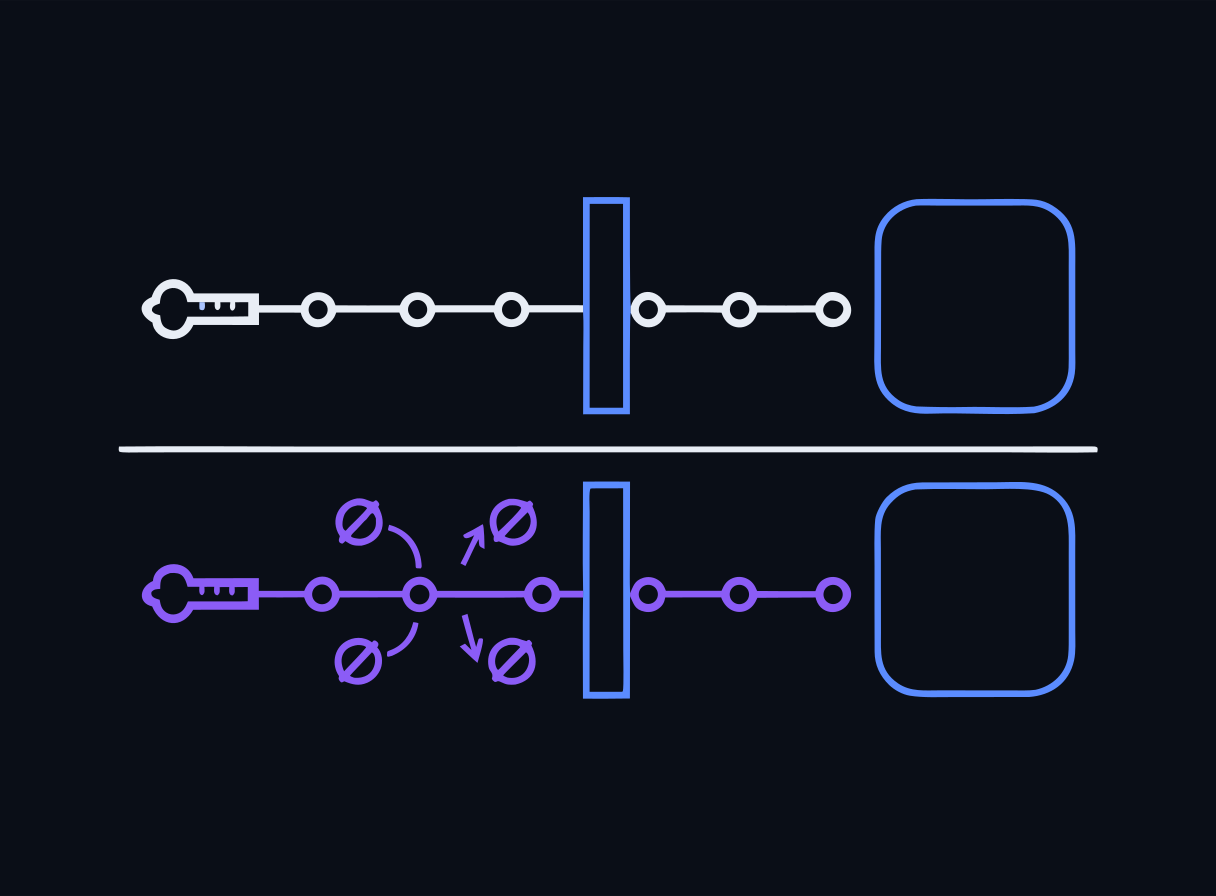
- In the lab, qwen-student is capped at rpm=2; qwen-instructor has no cap
- Request #3 inside the window trips HTTP 429 — Too Many Requests
- The model never sees the rejected request; the gateway refuses it outright
- Directly mitigates LLM10 Unbounded Consumption
Speaker notes
The 429 moment is the most satisfying beat of the lab — a scriptable, observable control doing its job. Have attendees run the same loop with both keys and watch the student key hit the wall while the instructor key sails through. That contrast IS tiered access control, made visible.
Token budgets and denial-of-wallet
- Rate limits cap REQUESTS; token budgets cap the SIZE of what each request/tier can consume
- You need both: two requests per minute with unbounded tokens is still a token sponge
- Denial-of-wallet: against metered APIs, the attacker's goal is your bill, not your uptime
- The model has no concept of quotas or identity — the gateway enforces what the model cannot
Speaker notes
Close the LLM10 loop: TokenLimit (guardrail) rejects one oversized prompt on content; token budgets (gateway) bound cumulative consumption per key. Local Ollama makes denial-of-wallet a CPU-time problem; the moment you swap in a paid API, the same missing control becomes a real invoice. The controls transfer 1:1.
Check: which layer stops it?
Check for understanding
In the lab you configure a LiteLLM gateway with a qwen-student tier at rpm=2 and a qwen-instructor tier with no cap. Which OWASP LLM risk does this rate/token-limit control most directly address?
- A.LLM01 Prompt Injection
- B.LLM08 Vector and Embedding Weaknesses
- C.LLM10 Unbounded Consumption
- D.LLM07 System Prompt Leakage
Reveal answer
Correct: C. LLM10 Unbounded Consumption
LLM10:2025 Unbounded Consumption covers resource-exhaustion and cost/denial-of-wallet abuse. Gateway controls — per-tier rate limits, token budgets, and tiered virtual keys (LiteLLM) — cap consumption independently of the model, which has no concept of a quota.
Speaker notes
Mirrors the end-of-day quiz. The mapping skill being tested — control → risk number — is exactly the exam's style for this domain. If someone picks A, restate the division of labor: gateways don't read content, so they can't stop injection; they meter access, so they cap consumption.
Locking the front door also means less behind it
- Minimize what an attacker can reach if a layer fails:
- Keep secrets OUT of prompts (LLM07/LLM02 — no secret to leak beats leak detection)
- Isolate the vector store per tenant (LLM08)
- Run intentionally-weak attack labs on an isolated network with NO route to real data
- Day 3 goes deep: PII protection, redaction, log sanitization
Speaker notes
Design controls are the quiet third layer alongside the guardrail and the gateway — often the cheapest and most reliable, because absent data can't be exfiltrated. The isolated-network point is also our own lab hygiene: today's deliberately vulnerable targets never share a network with anything real. Bridge to Day 3 here.
One layer down: OWASP ML Security Top 10 (v0.3)
- The LLM Top 10 is the APPLICATION layer; the ML Security Top 10 (v0.3) covers the model/training layer beneath it
- Data poisoning — corrupt the training data, corrupt the learned behavior
- Model theft — exfiltrate the weights, or clone behavior through repeated queries
- Adversarial examples — inputs crafted to force misclassification
Speaker notes
Frame the stack: today's app-layer controls assume the model itself is intact — this list is what threatens that assumption. Cite the version (v0.3) just like the 2025 edition habit. A concrete adversarial-example hook: inputs crafted to slip past the very DeBERTa classifier we deployed this afternoon — even your guardrail is an ML model with an ML attack surface.
Model-integrity threats: why you should care today
- You consume pre-trained models (Day 1: Ollama pulls) — the training-data supply chain is someone else's, but the RISK is yours
- Digest-pinned images and checksummed model files are supply-chain integrity controls you're already using in this workshop
- Poisoning shows up again tomorrow at the data layer, and on the exam under both OWASP lists (LLM04 Data and Model Poisoning at the app layer)
Speaker notes
Make it concrete with our own stack: every image in the labs is digest-pinned and models are pre-staged and checksummed — that's model/artifact integrity in practice, not just on a slide. 'Poisoning' is also a Day 1 shared-vocabulary word: training-data poisoning here vs. cache/ARP poisoning in classic security.
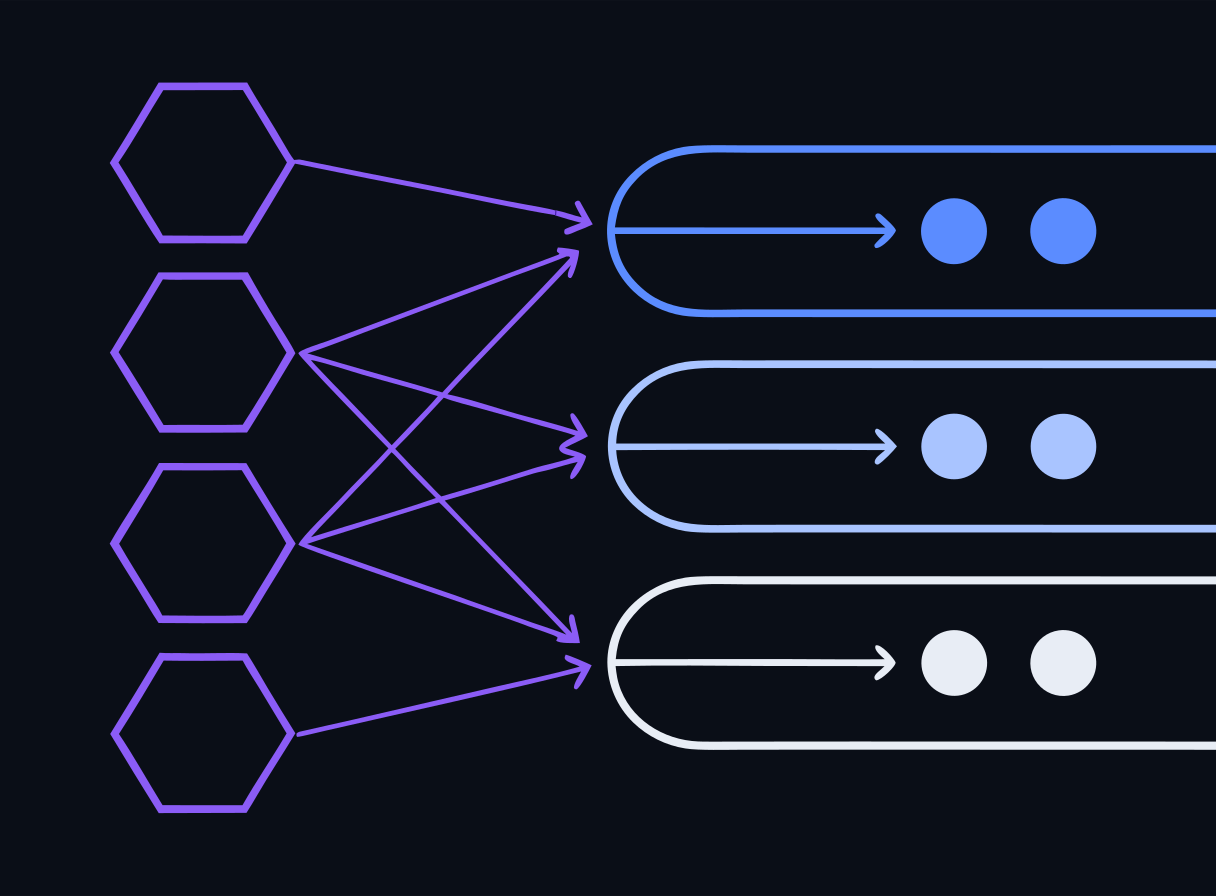
Threat model → controls: the full picture
Reading today's controls back onto the morning's risk list:
- LLM01 Injection → PromptInjection scanner + treating retrieved content as untrusted
- LLM07 Prompt leakage → no secrets in prompts + output scanning
- LLM08 Vector weaknesses → tenant isolation + corpus write control
- LLM10 Unbounded consumption → TokenLimit + gateway rate limits and token budgets
- Everything → defense in depth; no single layer suffices
Speaker notes
This is the summary table to photograph. Walk it as steps 2-and-4 of the threat-modeling flow completed: threats enumerated this morning, controls assigned this afternoon. Note the deliberate gaps — LLM02 gets its full treatment on Day 3, LLM06 Excessive Agency on Day 4.
Lab: attack the raw model, then lock the front door
Time to run it. The Day 2 lab is attack-then-defend against your own local stack.
- Phase 1 — attack.py: three attacks against a raw, unguarded model, mapped to LLM01, LLM07, and LLM10 by number
- Phase 2 — deploy LLM Guard: PromptInjection (DeBERTa) + TokenLimit input scanning, BanSubstrings output scanning
- Phase 3 — stand up LiteLLM: tiered virtual keys (qwen-instructor vs. qwen-student), rate limits (watch the 429), token budgets
- Then re-run the attacks and note which layer stops which
Speaker notes
Send everyone to the Day 2 page lab section (button below). Budget the full afternoon block. The most valuable minutes are the re-run at the end — insist that everyone completes the 'which layer stopped which attack' comparison, since that observation is the day's whole argument for defense in depth.
Go deeper: three focused Day-2 mini-labs
Three more bundles on the Day 2 page — each hardens one idea from this deck.
- day2-injection-ctf — a prompt-injection CTF ladder: staged challenges of escalating difficulty against increasingly defended targets
- day2-byo-guardrail — build your own guardrail: custom LLM Guard scanners plus the DeBERTa gate, and MEASURE false positives/negatives on a labeled set
- day2-indirect-rag-injection — indirect / RAG injection and data exfiltration: poison the vector store, watch retrieval deliver the payload, then detect it
Speaker notes
Position these as catch-up / go-deeper modules for fast finishers and after-hours work — each is self-contained with its own bundle. Pairings: the CTF hardens the direct-injection slides, the BYO guardrail makes the 'classifiers are probabilistic' caveat quantitative, and the RAG-injection lab realizes the indirect-injection and LLM08 material end-to-end. All lab content is DRAFT for instructor review.
Watch & discuss (optional — a pacing / energy reset)
Three short, authoritative watches to break up a dense day. Links and discussion prompts live on the Resources page.
- Simon Willison, "Prompt injection, explained" (~10-min talk + slides) — the person who coined the term. Discuss: which of today's controls would blunt his examples?
- OWASP GenAI — the Top 10 for LLM Apps 2025 source itself. Discuss: which two risks are NEW in 2025, and why did RAG make them necessary?
- MITRE ATLAS — trace one real case study across the matrix. Discuss: what tactic did the attacker open with, and where would you have broken the chain?
Speaker notes
Use these when energy dips, not as core content — the exam is on the frameworks, not the videos. All three are first-party / authoritative and stable (Resources → 'Day 2 — watch & discuss'). Each carries a discussion prompt so it stays active, not passive: two minutes of talk-back after each watch is worth more than the watch itself. Preview any clip before class.
Day 2 wrap-up
- You can threat-model an AI system: diagram → enumerate (OWASP 2025 + ATLAS) → rank → assign controls
- You've run real attacks — direct injection, prompt extraction, consumption — and watched an unguarded model fold
- You've deployed both control layers: LLM Guard for content, LiteLLM for access and consumption
- And you know why: alignment is a tendency, not a control — enforcement lives outside the model
Speaker notes
Recap against the morning's objectives — all five covered. Ask the room for one attack that surprised them and one control they'd deploy at work first; both answers make good openers for tomorrow.
Before you leave + what's next
- Take the end-of-day quiz on the Day 2 page (self-check, no score recorded)
- Leave your lab environment running if you're on the VM — Day 3 builds on this stack
- Take it home: the /labs/build-classroom-assistant guide walks you through standing up a SECURED version of today's HelpDeskAI for your own students — a private, hardened step beyond NotebookLM
- Tomorrow: Day 3 — the data layer: PII protection with Presidio, redaction, output DLP, and AI governance (NIST AI RMF, EU AI Act)
Speaker notes
Point to the quiz block at the bottom of /day/2 — it mirrors this deck's checks. Tease Day 3: today we stopped attackers at the front door; tomorrow is about the sensitive data already inside the house — finding it, redacting it, and governing the whole system.