Threat Model + Lock the Front Door
D2.1–2.3 — Securing AI Systems (part of 40%)
Learning Objectives
- Map LLM attack surfaces using OWASP Top 10 for LLM Applications 2025 (incl. LLM07 System-Prompt Leakage, LLM08 Vector & Embedding Weaknesses)
- Execute and detect prompt-injection, indirect injection, and data-exfiltration attacks in the lab
- Deploy a prompt firewall using LLM Guard (PromptInjection + input/output scanners + TokenLimit)
- Configure a LiteLLM gateway for rate limits, token budgets, and tiered virtual-key access control
- Apply OWASP ML Security Top 10 v0.3 concepts to training-data and model-integrity threats
Lecture Notes
Today’s job: threat-model the system, then lock the front door
Day 1 gave us a working AI system. Day 2 asks the security question: what can go wrong, and how do we stop it? The morning is threat modeling with two industry frameworks; the afternoon lab has you run real attacks against an unguarded model, then stand up a prompt firewall and an API gateway and watch the same attacks fail.
OWASP Top 10 for LLM Applications (2025)
The OWASP Gen AI Security Project maintains the authoritative list of LLM application risks. The 2025 edition is current; note it reordered and renamed several entries from 2023. This is the 40% exam domain, so learn all ten — the number, the name, and the one control that answers each:
- LLM01 — Prompt Injection. Untrusted input overrides intended instructions. Direct (“ignore your instructions…”) or indirect, where the payload rides in a document, web page, or retrieved RAG chunk the model later reads. Control: scanners and trust boundaries around the model.
- LLM02 — Sensitive Information Disclosure. The model reveals PII, secrets, or proprietary data from its context or training (central to Day 3). Control: minimize what’s in context; filter output.
- LLM03 — Supply Chain. Risk from third-party components you didn’t build — base models, datasets, fine-tuning adapters (LoRA), plugins, dev tooling. A backdoored model from a hub, a compromised package, a malicious adapter. Control: vet sources, verify integrity (signing, checksums, SBOM), and pin dependencies — the workshop’s own digest-pinning is this control made concrete.
- LLM04 — Data and Model Poisoning. Corrupting training, fine-tuning, or embedding data to plant a bias or a backdoor trigger. You saw the retrieval-time version on Day 1: one poisoned chunk changed the answer. Control: data provenance and validation; control who can write to a RAG corpus.
- LLM05 — Improper Output Handling. The mirror image of injection: injection is untrusted input going in; this is trusting untrusted output coming out and passing it straight to a shell, SQL query, or browser. Output →
eval()→ RCE; unescaped output → XSS. Control: treat model output as untrusted user input — validate, encode, sanitize before anything acts on it. - LLM06 — Excessive Agency. Giving an LLM too much autonomy, too many tools, or too many permissions, so a bad decision becomes a damaging action. Bridges directly to Day 4’s agents/MCP. Control: least privilege on every tool, minimize the tool surface, human-in-the-loop for high-impact actions.
- LLM07 — System Prompt Leakage (new in 2025). Attackers coax the model into revealing its system prompt, exposing embedded rules, secrets, and context. Control: never put secrets in the prompt; add output/leakage controls.
- LLM08 — Vector and Embedding Weaknesses (new in 2025). RAG-specific: poisoned documents, embedding-space attacks, cross-tenant leakage through a shared vector store. The Day 1 RAG pipeline is exactly this surface. Control: tenant isolation, corpus write-control, treat retrieved content as untrusted.
- LLM09 — Misinformation. Confident, plausible, wrong output that a human trusts (overreliance). Fabricated CVEs, hallucinated config, invented package names attackers then register (“slopsquatting”). Not an attacker action — a property of the models. Control: grounding (RAG), human oversight, cite sources, communicate limits.
- LLM10 — Unbounded Consumption. Resource-exhaustion, denial-of-service, and “denial-of-wallet” cost abuse. The model has no concept of a quota or an identity. Control: quotas and limits outside the model — in the gateway.
The pattern worth memorizing In almost every one of the ten, the real control sits outside the model — a scanner, an allow-list, a gateway limit, output validation — not a cleverer prompt. That single idea is the thesis of Day 2 and a reliable way to reason about an unfamiliar exam question: “the model can’t be trusted to police itself, so what external control answers this?”
Framework hygiene Always cite the edition. “OWASP LLM Top 10 2025” — the numbering (LLM01, LLM07, LLM08…) is specific to that release. The lab’s attack.py maps its three attacks to LLM01, LLM07, and LLM10 by number.
A common exam trap pairs LLM01 (input) against LLM05 (output) — make sure you can tell which direction the untrusted data flows. Another pairs LLM03 (the components) against LLM04 (the data itself).
We also touch OWASP ML Security Top 10 (v0.3) for the training-data and model-integrity side — data poisoning, model theft, adversarial examples — which sits beneath the application-layer LLM list.
MITRE ATLAS and threat modeling
Where OWASP gives you a ranked risk list, MITRE ATLAS gives you an adversary playbook: an ATT&CK-style, continuously updated matrix of tactics (reconnaissance, initial access, ML model access, exfiltration…) and techniques against AI systems, backed by real case studies. Use it to ask “how would an attacker actually chain steps against this deployment?”
 Diagram, enumerate, rank, assign controls
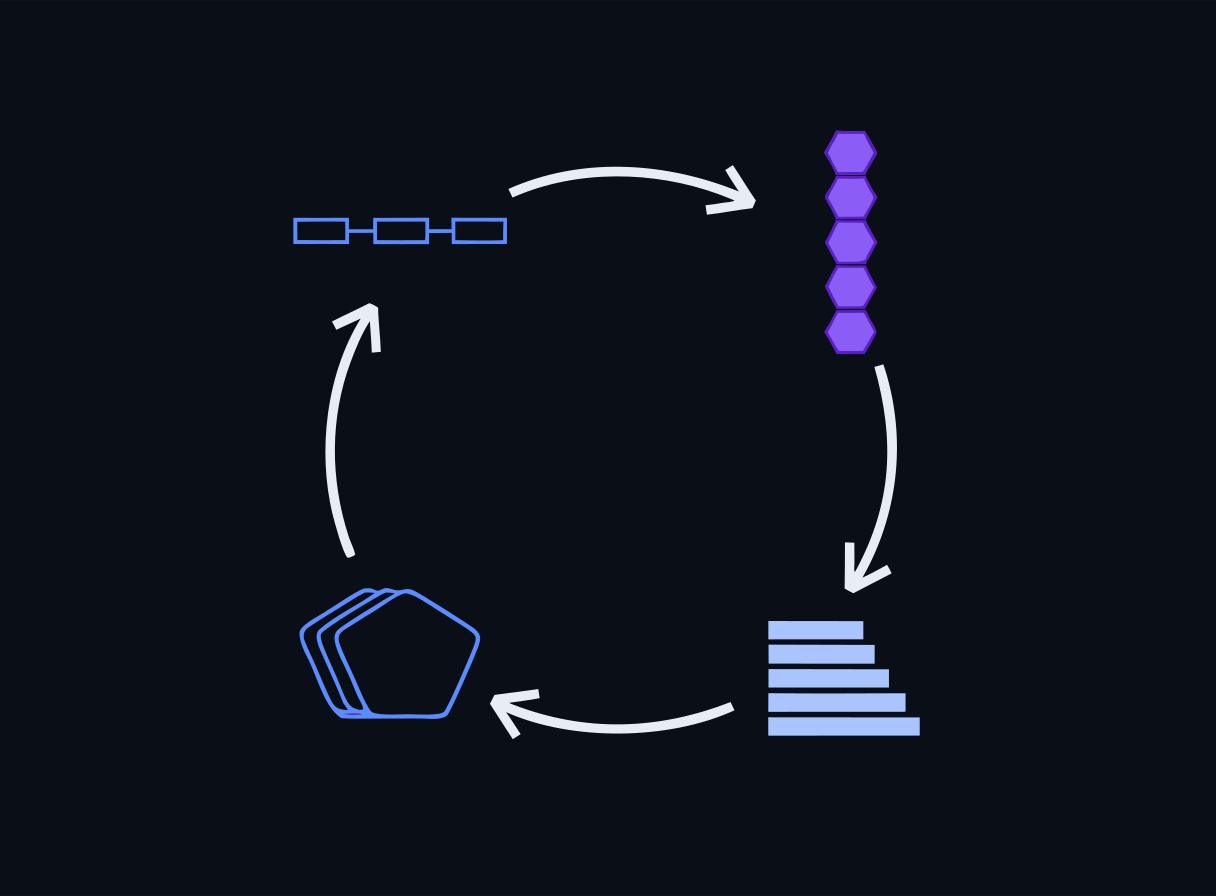
A lightweight threat-modeling flow for an AI feature:
- Diagram the system — data sources, model, tools/plugins, trust boundaries.
- Enumerate threats — walk OWASP LLM Top 10 and relevant ATLAS techniques against each component.
- Rank — likelihood x impact.
- Assign controls — guardrails, gateway limits, data controls, human review.
Guardrails and prompt firewalls (LLM Guard)
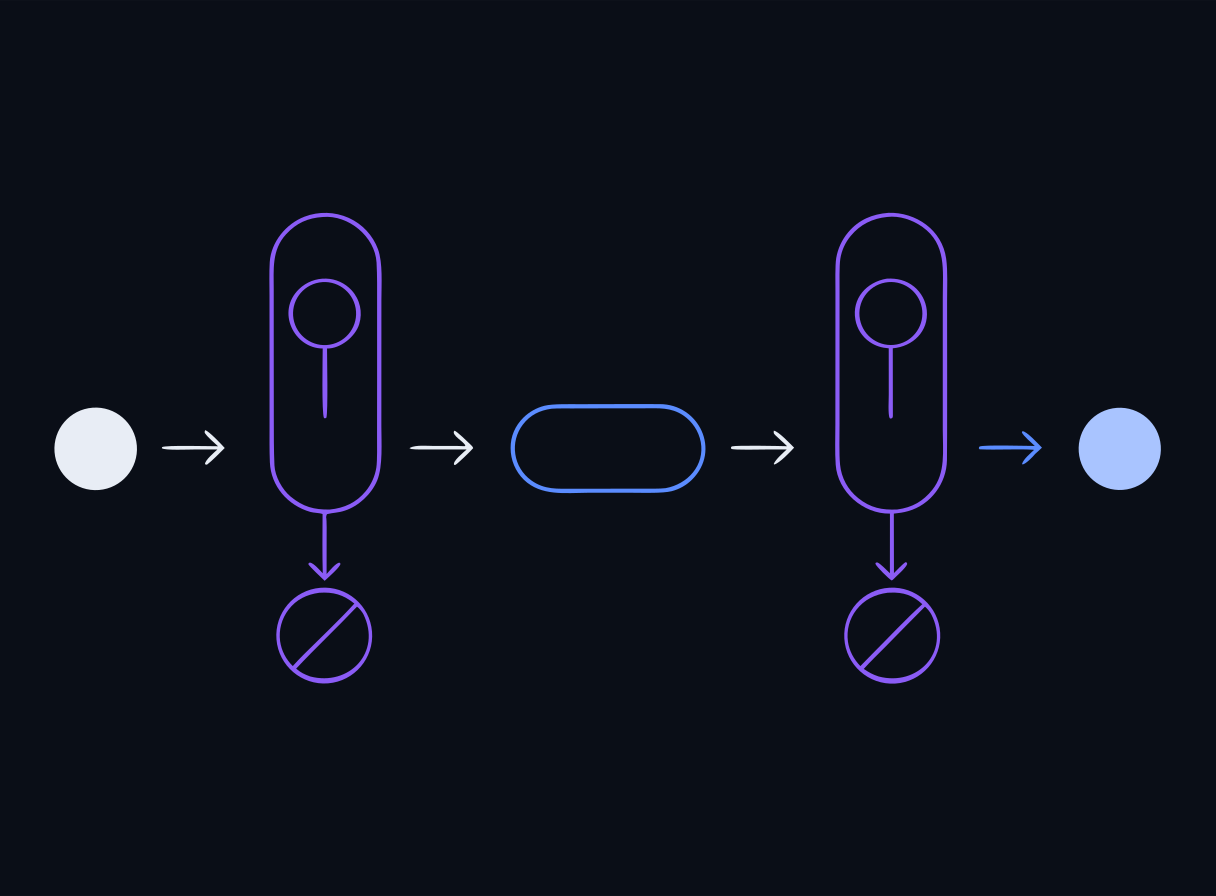
A guardrail inspects traffic around the model — input before inference, output after. In the lab you deploy LLM Guard with:
 Scanning on the way in and on the way out
PromptInjection— a DeBERTa classifier that scores incoming prompts and blocks likely injections (LLM01, injection-style LLM07).TokenLimit— rejects oversized prompts (LLM10 token-sponge abuse).BanSubstrings— an output scanner catching known-bad strings in responses.
The key lesson: a classifier-based firewall raises the bar but is probabilistic. A subtle injection with no obvious trigger phrase can pass it — which is exactly why we layer more controls.
Gateway controls (LiteLLM)
Guardrails judge content; a gateway governs access and consumption. In the lab you put LiteLLM in front of Ollama and configure:
 The key carries the tier’s policy
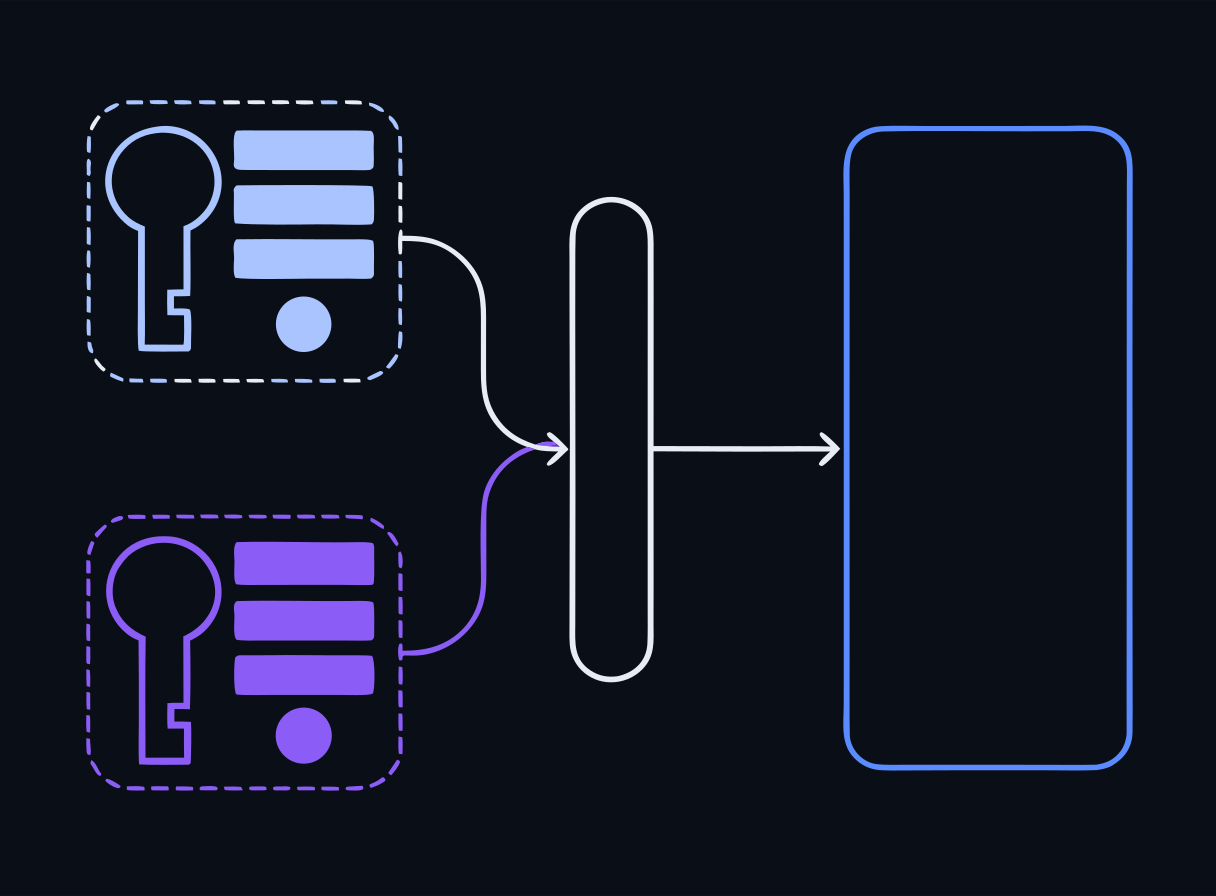
- Tiered virtual keys —
qwen-instructor(unrestricted) vs.qwen-student(restricted). A key is the tier. - Rate limits —
qwen-studenttrips a 429 after its RPM budget; directly mitigates LLM10. - Token budgets / caps — bound the tokens per request/tier to control cost and abuse.
- Authentication — no valid key, no access (401).
The model has no concept of quotas or identity; the gateway enforces them. This is where classroom-scale controls (per-student keys, per-tier limits) actually live.
Data-security controls (preview)
Locking the front door also means minimizing what an attacker can reach if they get in: keep secrets out of prompts, isolate the vector store per tenant (LLM08), and run the intentionally-weak attack labs on an isolated network with no route to real data. Day 3 goes deep on PII protection, redaction, and log sanitization.
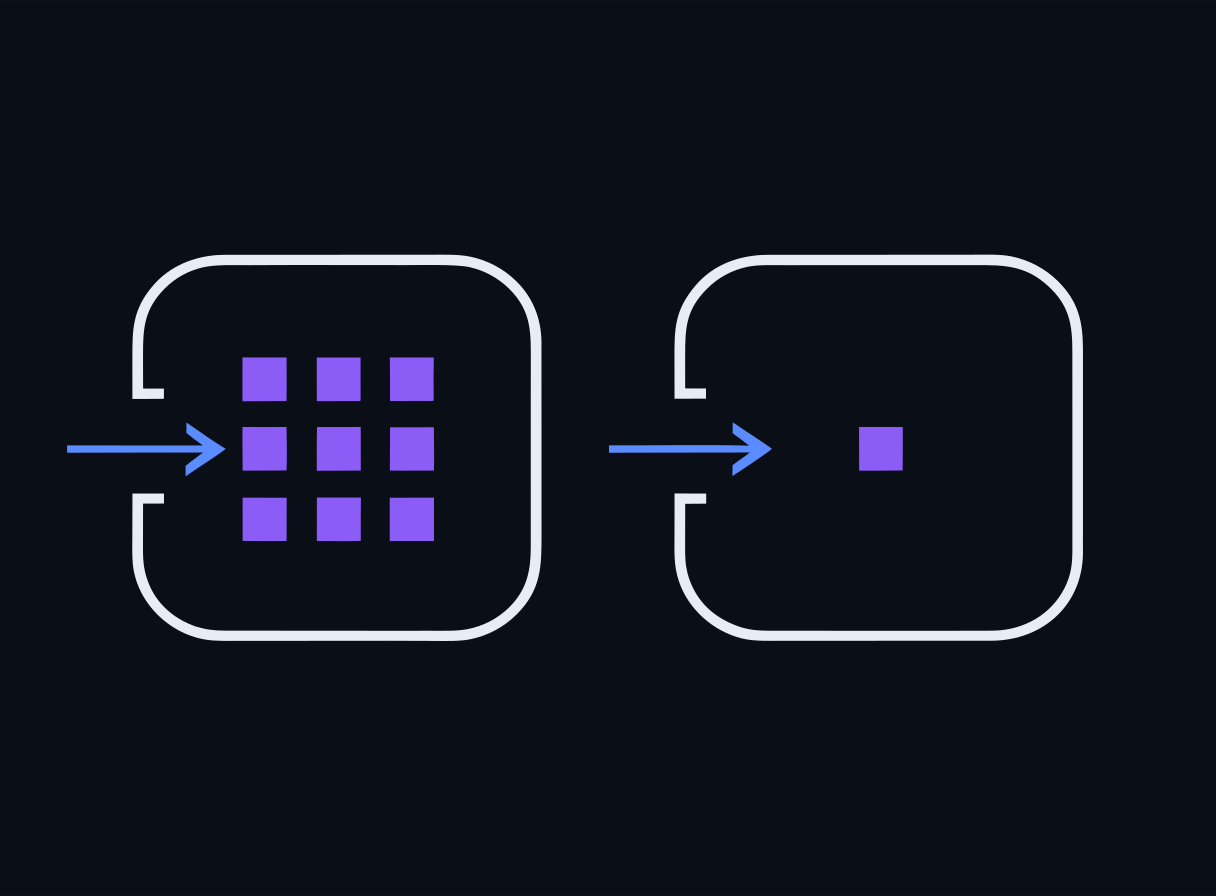 Less behind the door means less to lose
Defense in depth No single layer is sufficient. LLM Guard (content), LiteLLM (access/consumption), and a disciplined system-prompt/data design each catch what the others miss. When you run the lab, notice which attacks each layer stops — and which slip past a single control.
Take this to your own classroom
The morning’s tabletop threat-modeled a fictional HelpDeskAI that nobody secured. The constructive mirror is a build you can actually do: stand up a private, hardened AI assistant for your own students on a spare machine, then secure it with the exact controls from today.
Build a secure classroom AI assistant A step-by-step instructor guide — repurpose an old machine with AnythingLLM + Ollama, load your course materials, open it to the class, and harden it with the Day 2 controls (keep secrets out of the prompt, control who writes to the corpus, isolate per class, add a gateway and guardrails). It’s a deliberate step beyond NotebookLM: local, private, custom-prompted, hostable on your LAN, and access-controlled. Guide: Stand up a secure classroom AI assistant →
Labs
Run these on your own laptop in AnythingLLM or LM Studio — no containers. Each is a full stepped guide with copy-ready prompts and a small data pack. New to the tools? The Labs without Docker page opens with a one-time setup.
Get answers out of a log file
Install a local AI assistant, point it at real security logs, and pull findings out of them in plain English — the core classroom-ready skill.
Triage a SOC alert queue
Work a realistic alert queue the way a junior analyst does: separate noise from signal, correlate related alerts, and decide what to escalate first.
Evaluate a host from its configuration
Read a host configuration snapshot and find the misconfigurations that let an attacker persist — the hardening review a sysadmin does.
When the logs fight back
See indirect prompt injection first-hand: attacker-controlled text inside your data hijacking the AI that reads it — the core Day 2 security idea, from the analyst's chair.
Red-team an AI assistant
Play the attacker: break an AI assistant's rules through chat alone — extract a secret, leak its system prompt, defeat its guard. The offensive side of everything Day 2 teaches defensively.
Docker reference — 4 original bundlesThe reproducible container versions these mirror, and the exam environment. Optional.
Lab Bundle: day2-guardrails-gateway
The reproducible container version of this lab — the exam is built on it, and it's a copy you can take back to your own classroom. The GUI labs above are the hands-on path in class; reach for this when you want the exact reference stack. Cloud VMs are a limited fallback if Docker won't cooperate. Verify the checksum before extracting.
Verify checksum (optional)
# Windows (PowerShell) — compare against the .sha256 file
Get-FileHash day2-guardrails-gateway.zip -Algorithm SHA256

# macOS
shasum -a 256 -c day2-guardrails-gateway.zip.sha256

# Linux
sha256sum -c day2-guardrails-gateway.zip.sha256
Docker not cooperating? There areGUI versions of the Day-1 labs that run in AnythingLLM or LM Studio instead — same objectives, no container stack.
Run locally with Docker (recommended)
# 1. Extract the bundle you downloaded above
#    Windows: right-click the .zip -> "Extract All", or in PowerShell:
#      Expand-Archive day2-guardrails-gateway.zip -DestinationPath .
#    macOS: double-click it. Linux: unzip day2-guardrails-gateway.zip
cd day2-guardrails-gateway

# 2. Start the lab environment
docker compose up -d

# 3. Follow the lab README for the exercise steps
cat README.md
Or run on a cloud VM (limited — ask if you need one)
There are fewer VMs than participants, so they go to people whose local Docker isn't working. Your instructor sends you an IP and a password directly.
# 1. Connect (password auth — no key file needed)
ssh workshop@<your-vm-ip>

# 2. Everything is pre-staged here
cd /opt/secai

# 3. Run a lab (the login message lists every Day-1 command)
docker compose -f vm/docker-compose.yml --profile run run --rm \
  day1-runner python app/rag_pipeline.py
The VM runs the golden compose (vm/docker-compose.yml) with every lab pre-staged and all images and models pre-pulled — no internet needed during the workshop.
Lab Bundle: day2-injection-ctf
The reproducible container version of this lab — the exam is built on it, and it's a copy you can take back to your own classroom. The GUI labs above are the hands-on path in class; reach for this when you want the exact reference stack. Cloud VMs are a limited fallback if Docker won't cooperate. Verify the checksum before extracting.
Verify checksum (optional)
# Windows (PowerShell) — compare against the .sha256 file
Get-FileHash day2-injection-ctf.zip -Algorithm SHA256

# macOS
shasum -a 256 -c day2-injection-ctf.zip.sha256

# Linux
sha256sum -c day2-injection-ctf.zip.sha256
Docker not cooperating? There areGUI versions of the Day-1 labs that run in AnythingLLM or LM Studio instead — same objectives, no container stack.
Run locally with Docker (recommended)
# 1. Extract the bundle you downloaded above
#    Windows: right-click the .zip -> "Extract All", or in PowerShell:
#      Expand-Archive day2-injection-ctf.zip -DestinationPath .
#    macOS: double-click it. Linux: unzip day2-injection-ctf.zip
cd day2-injection-ctf

# 2. Start the lab environment
docker compose up -d

# 3. Follow the lab README for the exercise steps
cat README.md
Or run on a cloud VM (limited — ask if you need one)
There are fewer VMs than participants, so they go to people whose local Docker isn't working. Your instructor sends you an IP and a password directly.
# 1. Connect (password auth — no key file needed)
ssh workshop@<your-vm-ip>

# 2. Everything is pre-staged here
cd /opt/secai

# 3. Run a lab (the login message lists every Day-1 command)
docker compose -f vm/docker-compose.yml --profile run run --rm \
  day1-runner python app/rag_pipeline.py
The VM runs the golden compose (vm/docker-compose.yml) with every lab pre-staged and all images and models pre-pulled — no internet needed during the workshop.
Lab Bundle: day2-byo-guardrail
The reproducible container version of this lab — the exam is built on it, and it's a copy you can take back to your own classroom. The GUI labs above are the hands-on path in class; reach for this when you want the exact reference stack. Cloud VMs are a limited fallback if Docker won't cooperate. Verify the checksum before extracting.
Verify checksum (optional)
# Windows (PowerShell) — compare against the .sha256 file
Get-FileHash day2-byo-guardrail.zip -Algorithm SHA256

# macOS
shasum -a 256 -c day2-byo-guardrail.zip.sha256

# Linux
sha256sum -c day2-byo-guardrail.zip.sha256
Docker not cooperating? There areGUI versions of the Day-1 labs that run in AnythingLLM or LM Studio instead — same objectives, no container stack.
Run locally with Docker (recommended)
# 1. Extract the bundle you downloaded above
#    Windows: right-click the .zip -> "Extract All", or in PowerShell:
#      Expand-Archive day2-byo-guardrail.zip -DestinationPath .
#    macOS: double-click it. Linux: unzip day2-byo-guardrail.zip
cd day2-byo-guardrail

# 2. Start the lab environment
docker compose up -d

# 3. Follow the lab README for the exercise steps
cat README.md
Or run on a cloud VM (limited — ask if you need one)
There are fewer VMs than participants, so they go to people whose local Docker isn't working. Your instructor sends you an IP and a password directly.
# 1. Connect (password auth — no key file needed)
ssh workshop@<your-vm-ip>

# 2. Everything is pre-staged here
cd /opt/secai

# 3. Run a lab (the login message lists every Day-1 command)
docker compose -f vm/docker-compose.yml --profile run run --rm \
  day1-runner python app/rag_pipeline.py
The VM runs the golden compose (vm/docker-compose.yml) with every lab pre-staged and all images and models pre-pulled — no internet needed during the workshop.
Lab Bundle: day2-indirect-rag-injection
The reproducible container version of this lab — the exam is built on it, and it's a copy you can take back to your own classroom. The GUI labs above are the hands-on path in class; reach for this when you want the exact reference stack. Cloud VMs are a limited fallback if Docker won't cooperate. Verify the checksum before extracting.
Verify checksum (optional)
# Windows (PowerShell) — compare against the .sha256 file
Get-FileHash day2-indirect-rag-injection.zip -Algorithm SHA256

# macOS
shasum -a 256 -c day2-indirect-rag-injection.zip.sha256

# Linux
sha256sum -c day2-indirect-rag-injection.zip.sha256
Docker not cooperating? There areGUI versions of the Day-1 labs that run in AnythingLLM or LM Studio instead — same objectives, no container stack.
Run locally with Docker (recommended)
# 1. Extract the bundle you downloaded above
#    Windows: right-click the .zip -> "Extract All", or in PowerShell:
#      Expand-Archive day2-indirect-rag-injection.zip -DestinationPath .
#    macOS: double-click it. Linux: unzip day2-indirect-rag-injection.zip
cd day2-indirect-rag-injection

# 2. Start the lab environment
docker compose up -d

# 3. Follow the lab README for the exercise steps
cat README.md
Or run on a cloud VM (limited — ask if you need one)
There are fewer VMs than participants, so they go to people whose local Docker isn't working. Your instructor sends you an IP and a password directly.
# 1. Connect (password auth — no key file needed)
ssh workshop@<your-vm-ip>

# 2. Everything is pre-staged here
cd /opt/secai

# 3. Run a lab (the login message lists every Day-1 command)
docker compose -f vm/docker-compose.yml --profile run run --rm \
  day1-runner python app/rag_pipeline.py
The VM runs the golden compose (vm/docker-compose.yml) with every lab pre-staged and all images and models pre-pulled — no internet needed during the workshop.
End-of-Day Quiz
Check for understanding — reveal the answer after you've chosen. No score is recorded.
In the OWASP Top 10 for LLM Applications (2025), which risk is ranked LLM01 and is the one you exercise first in the lab?
Reveal answer
Correct: D. Prompt Injection
Prompt Injection is LLM01:2025 — the top LLM risk. Because the model cannot inherently separate trusted instructions from untrusted input, crafted text can override intended behavior. The lab's attack.py demonstrates it against a raw, unguarded model.
OWASP added LLM07 System Prompt Leakage in the 2025 list. Why is leaking the system prompt a security problem?
Reveal answer
Correct: C. It can expose embedded secrets, guardrail logic, or sensitive context an attacker can then bypass or exfiltrate
System prompts often contain internal rules, credentials, or PII-laden context (see Day 3's HR assistant). Once leaked, an attacker learns the guardrails to evade them — and any secret placed in the prompt is disclosed. The fix is to not put secrets in the prompt, plus output/leakage controls.
What does the LLM Guard prompt firewall in the lab do with the DeBERTa PromptInjection scanner?
Reveal answer
Correct: A. It classifies incoming prompts and blocks likely injection attempts before they ever reach the model
LLM Guard runs input scanners (PromptInjection uses a DeBERTa classifier, plus TokenLimit) that inspect and reject malicious prompts pre-inference. It is a defense-in-depth layer, not a guarantee — subtle injections without obvious trigger phrases can still slip through, which is why you also need gateway and design controls.
In the lab you configure a LiteLLM gateway with a qwen-student tier at rpm=2 and a qwen-instructor tier with no cap. Which OWASP LLM risk does this rate/token-limit control most directly address?
Reveal answer
Correct: A. LLM10 Unbounded Consumption
LLM10:2025 Unbounded Consumption covers resource-exhaustion and cost/denial-of-wallet abuse. Gateway controls — per-tier rate limits, token budgets, and tiered virtual keys (LiteLLM) — cap consumption independently of the model, which has no concept of a quota.
MITRE ATLAS is best described as which of the following?
Reveal answer
Correct: D. A knowledge base of real-world adversary tactics and techniques against AI/ML systems, modeled after ATT&CK
MITRE ATLAS (Adversarial Threat Landscape for AI Systems) is a living ATT&CK-style matrix of tactics and techniques targeting ML systems. It is a threat-modeling reference, not a control — you use it (alongside OWASP LLM Top 10) to enumerate what attackers can do.