AI as SOC / Classroom Force-Multiplier
D3 — AI-Assisted Security (24%)
Learning Objectives
- Implement an MCP server (2025-11-25 spec) for log triage and CVE summarization using the Python mcp SDK
- Use an AI coding agent (generate → statically validate → repair loop) to produce Sigma and Suricata detection rules (Suricata uses Snort-family rule syntax)
- Evaluate generated rules against static validators (sigma-cli, suricata -T self-test) without live packet capture
- Conduct AI-assisted vulnerability triage on a bundled CVE dataset (no live NVD — avoids hallucinated CVSS)
- Identify when to escalate from local model to hosted API based on task complexity and hardware constraints
Lecture Notes
Today’s job: AI as a force-multiplier for the SOC (and the classroom)
The first three days secured AI systems. Day 4 flips the lens: using AI to do security work faster. You build a real MCP server, drive it from a local tool-calling model, generate and validate detection rules, and triage CVEs — always keeping a human in the loop and everything offline. We close by looking at how the same capabilities empower attackers.
AI-assisted SecOps
AI helps most where analysts drown in volume and repetition: triaging alerts, summarizing logs, drafting detections, and prioritizing vulnerabilities. The durable pattern is AI drafts, human decides. Generated artifacts — a detection rule, a triage call, an incident summary — are proposals that a validator and then an analyst confirm. That discipline is what separates a force-multiplier from an automation liability.
From chatbot to agent: inference that can act
A plain chatbot is a single move: text goes in, text comes out. It cannot look anything up, cannot check its own work, and cannot tell you when it is guessing — so a confident wrong answer looks exactly like a right one. That is fine for drafting an email and dangerous for triaging an incident.
An agent is the same model placed in a loop with tools:
- Reason about the task,
- Act — call a tool (read the alert, look up the CVE, run the validator),
- Observe the tool’s result,
- repeat until it can answer — then hand the result to a human.
The difference is ground truth. A chatbot recalls a CVSS score from training and may hallucinate it; an agent fetches it from the dataset and reasons over the real number. Every Day 4 build is agentic in this sense — the model reasons, a tool provides the facts, and the loop, not the model’s memory, is what makes the output trustworthy. Tools are how a model stops guessing and starts working.
The loop is where control lives Each tool call is a seam you can inspect: a place to check permissions, validate output, and require human approval before a consequential action. A chatbot has no such seams — it just emits text. An agent is nothing but seams, which is exactly why “AI drafts, human decides” is enforceable here and not merely a slogan.
Model Context Protocol (MCP) servers
MCP is an open protocol that standardizes how an AI application connects a model to external tools, data, and context. Instead of bespoke glue for every integration, a model speaks one protocol to any MCP server.
Why standardize at all? Without a shared protocol, every (application × tool) pair needs its own custom integration — the classic N×M problem: M applications each hand-writing glue for N tools. MCP collapses that to N+M: wrap a tool once as an MCP server, and any MCP-speaking client (Claude Desktop, an IDE, your own runner) can use it. A server exposes three kinds of things behind one interface — tools (functions the model may call, like lookup_cve), resources (data it may read), and prompts (reusable templates). That is the entire pitch: write the integration once, use it from any client.
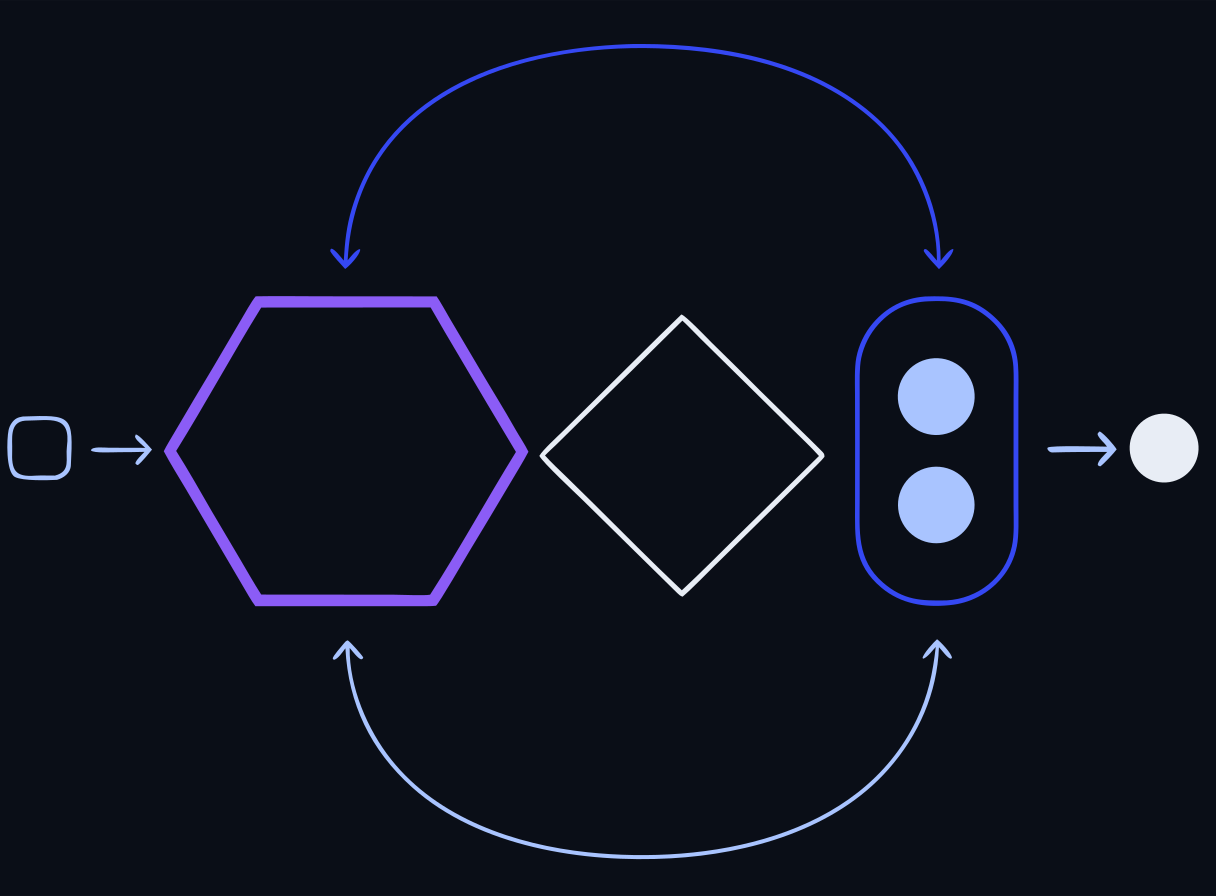 The MCP tool-call round-trip
Spec version
The lab targets the stable 2025-11-25 MCP specification, using the Python mcp / FastMCP SDK. Cite the dated spec — MCP is versioned by release date.
In the lab your MCP server exposes two security tools:
triage_logs(logs)— rule-based log classification (offline, deterministic).lookup_cve(cve_id)— CVE lookup from the bundled dataset (no live NVD).
The demo shows the full tool-call round-trip: a natural-language task goes to qwen2.5:3b with the tool schemas, the model returns a structured tool_call, the runner executes it against the MCP server, and the result is fed back for a grounded final answer. That round-trip — model reasons, tool provides ground truth — is the heart of agentic security tooling.
MCP or just a CLI? a live debate
MCP is not the only way — or always the best way — to give an agent tools, and through 2025 many practitioners have swung toward a simpler answer for a lot of tasks: just let the agent use a command line. It is worth understanding the trade-off, because “add an MCP server” has become a reflex that is not always right.
The case for the CLI:
- The model has seen enormous amounts of shell usage in training, so it already knows
grep,jq,curl,git— there is no schema to define and maintain. - CLIs compose: pipe one command’s output into the next, which a fixed set of MCP tools does not do naturally.
- They are inspectable and reproducible — you can run the exact command the agent ran and see exactly what it saw.
- Lower token cost: every MCP tool definition sits in the context window on every turn; a CLI is text the model emits only when it actually uses it.
The case for MCP:
- When there is no shell to reach for — a hosted SaaS app, a GUI tool, a remote service — MCP is how you expose it at all.
- Structured, permissioned access: a server enforces exactly which operations are allowed and returns typed results, rather than handing the model a shell and hoping.
- Portability: one server works in every MCP-speaking client, with no per-application wiring.
The honest summary
Reach for a CLI when the agent already has a shell and good tools; reach for MCP when you must cross into a system that has no shell — or when you deliberately do not want to give the agent one. Both do the same underlying job: give the model a way to act and observe. MCP standardizes the interface; a CLI reuses an interface the model already knows. The durable skill is agentic thinking — reason, act, observe, verify — not any one plumbing choice. You will see both in this lab: the MCP server here, and the CLI-driven sigma check / suricata -T loop in the detection exercise next.
AI-generated detections (Sigma / Suricata)
Writing detection rules is skilled, repetitive work — a good AI target, with validation. The lab’s generate → validate → repair loop:
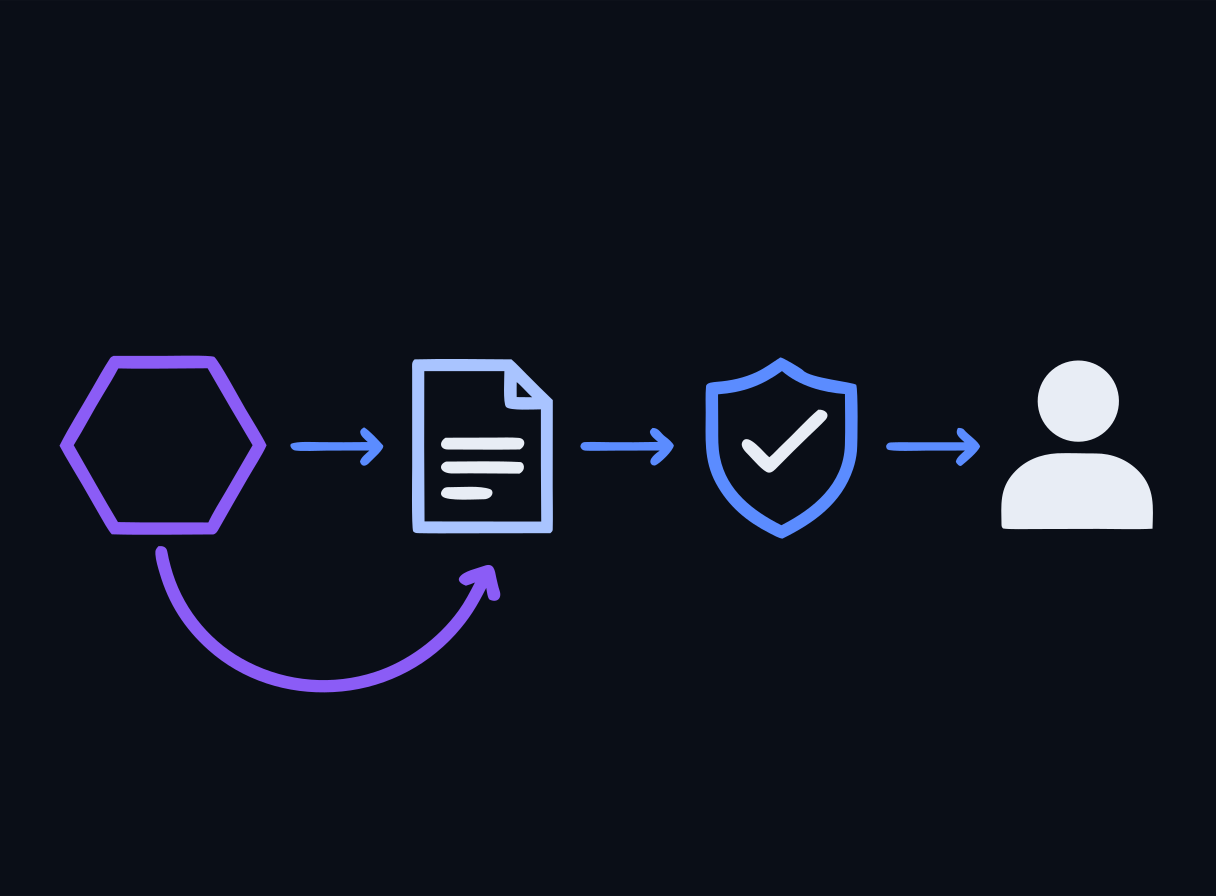 Generate, validate, repair — human at the end
- Generate — the model writes a Sigma YAML rule from an incident description (SSH brute force, web-shell upload, encoded PowerShell).
- Validate —
sigma checkstatically validates structure/syntax offline. For network rules,suricata -Tsyntax-checks a Suricata rule with no live capture. - Repair — validation failures feed back into a repair prompt (up to two attempts).
The output is a syntactically-valid draft rule — which a human still reviews before it touches production. The lab deliberately uses static validation only (no live packet capture, no live SIEM) to stay offline and reproducible.
AI-assisted CVE triage
Given more CVEs than anyone can patch at once, the model helps prioritize. The lab loads 12 real 2024 CVEs from a bundled dataset and asks the model to label each Patch Immediately / Patch This Week / Monitor, with a one-line rationale referencing your org profile.
Two design choices matter and both come from the course’s offline rules (ADR-5):
- No live NVD — CVSS scores come from the trusted bundled dataset, so they are accurate.
- Grounded, not recalled — feeding real data prevents the classic failure of a model hallucinating CVSS scores or CVE details.
CI/CD and agents
The generate-validate-repair pattern generalizes to a pipeline: an AI agent proposes a change (a rule, a script, a config), automated validators gate it, and a human approves the merge. In CI/CD terms, the validator is your test suite and the human review is the required approval — the same guardrails you would demand of any automated contributor. Least privilege for the agent and an audit trail are non-negotiable.
Right-sizing the model: local vs. hosted
Day 4 needs a 3B tool-caller because sub-2B models emit malformed tool-call JSON — a concrete example of matching model capability to task complexity. The broader judgment call: escalate from a local SLM to a hosted API only when the task demands it (harder reasoning, larger context) and the data-sensitivity/compliance posture allows sending data off-box. This trade-off — cost, privacy, latency, capability, compliance — is the subject of the Day 5 roundtable.
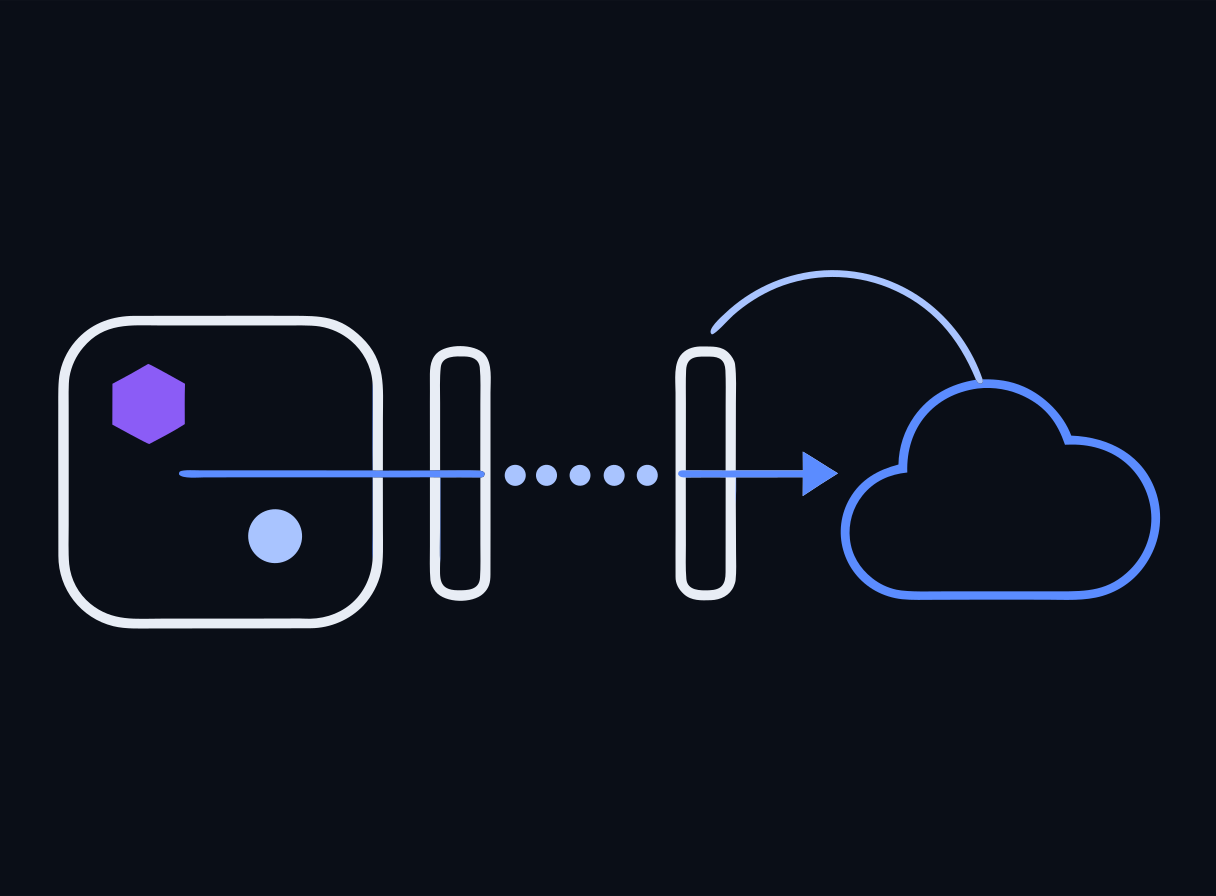 Two gates before data leaves the box
AI-enabled attack vectors
The same power cuts both ways. Defenders must now anticipate AI-enabled offense:
- Deepfakes and voice cloning — synthetic audio/video for fraud and social engineering; identity verification must adapt.
- Automated, personalized phishing at scale.
- AI-accelerated tooling — faster reconnaissance, exploit drafting, and evasion.
Symmetry of capability Every AI-assisted defense you built today has an offensive mirror. Assume adversaries use the same generate-validate-repair loops you do — and design detection and identity controls accordingly.
Labs
Run these on your own laptop in AnythingLLM or LM Studio — no containers. Each is a full stepped guide with copy-ready prompts and a small data pack. New to the tools? The Labs without Docker page opens with a one-time setup.
AI-assisted detection engineering
Use an AI assistant to draft detection rules for a real intrusion, then validate them — the generate → validate → repair loop that makes AI a detection force-multiplier without replacing judgment.
Red-team the detection
Reason about how an attacker evades naive detections and how to harden each — the offensive angle that produces durable, behavior-based rules.
Small model vs frontier model, same task
Judge honestly where a small local model is good enough and where a frontier model earns its cost and its data-sharing trade-off — the right-sizing call at the heart of Day 4.
Docker reference — 4 original bundlesThe reproducible container versions these mirror, and the exam environment. Optional.
Lab Bundle: day4-mcp-secops
The reproducible container version of this lab — the exam is built on it, and it's a copy you can take back to your own classroom. The GUI labs above are the hands-on path in class; reach for this when you want the exact reference stack. Cloud VMs are a limited fallback if Docker won't cooperate. Verify the checksum before extracting.
Verify checksum (optional)
# Windows (PowerShell) — compare against the .sha256 file
Get-FileHash day4-mcp-secops.zip -Algorithm SHA256

# macOS
shasum -a 256 -c day4-mcp-secops.zip.sha256

# Linux
sha256sum -c day4-mcp-secops.zip.sha256
Docker not cooperating? There areGUI versions of the Day-1 labs that run in AnythingLLM or LM Studio instead — same objectives, no container stack.
Run locally with Docker (recommended)
# 1. Extract the bundle you downloaded above
#    Windows: right-click the .zip -> "Extract All", or in PowerShell:
#      Expand-Archive day4-mcp-secops.zip -DestinationPath .
#    macOS: double-click it. Linux: unzip day4-mcp-secops.zip
cd day4-mcp-secops

# 2. Start the lab environment
docker compose up -d

# 3. Follow the lab README for the exercise steps
cat README.md
Or run on a cloud VM (limited — ask if you need one)
There are fewer VMs than participants, so they go to people whose local Docker isn't working. Your instructor sends you an IP and a password directly.
# 1. Connect (password auth — no key file needed)
ssh workshop@<your-vm-ip>

# 2. Everything is pre-staged here
cd /opt/secai

# 3. Run a lab (the login message lists every Day-1 command)
docker compose -f vm/docker-compose.yml --profile run run --rm \
  day1-runner python app/rag_pipeline.py
The VM runs the golden compose (vm/docker-compose.yml) with every lab pre-staged and all images and models pre-pulled — no internet needed during the workshop.
Lab Bundle: day4-detection-eng
The reproducible container version of this lab — the exam is built on it, and it's a copy you can take back to your own classroom. The GUI labs above are the hands-on path in class; reach for this when you want the exact reference stack. Cloud VMs are a limited fallback if Docker won't cooperate. Verify the checksum before extracting.
Verify checksum (optional)
# Windows (PowerShell) — compare against the .sha256 file
Get-FileHash day4-detection-eng.zip -Algorithm SHA256

# macOS
shasum -a 256 -c day4-detection-eng.zip.sha256

# Linux
sha256sum -c day4-detection-eng.zip.sha256
Docker not cooperating? There areGUI versions of the Day-1 labs that run in AnythingLLM or LM Studio instead — same objectives, no container stack.
Run locally with Docker (recommended)
# 1. Extract the bundle you downloaded above
#    Windows: right-click the .zip -> "Extract All", or in PowerShell:
#      Expand-Archive day4-detection-eng.zip -DestinationPath .
#    macOS: double-click it. Linux: unzip day4-detection-eng.zip
cd day4-detection-eng

# 2. Start the lab environment
docker compose up -d

# 3. Follow the lab README for the exercise steps
cat README.md
Or run on a cloud VM (limited — ask if you need one)
There are fewer VMs than participants, so they go to people whose local Docker isn't working. Your instructor sends you an IP and a password directly.
# 1. Connect (password auth — no key file needed)
ssh workshop@<your-vm-ip>

# 2. Everything is pre-staged here
cd /opt/secai

# 3. Run a lab (the login message lists every Day-1 command)
docker compose -f vm/docker-compose.yml --profile run run --rm \
  day1-runner python app/rag_pipeline.py
The VM runs the golden compose (vm/docker-compose.yml) with every lab pre-staged and all images and models pre-pulled — no internet needed during the workshop.
Lab Bundle: day4-mcp-soc-tool
The reproducible container version of this lab — the exam is built on it, and it's a copy you can take back to your own classroom. The GUI labs above are the hands-on path in class; reach for this when you want the exact reference stack. Cloud VMs are a limited fallback if Docker won't cooperate. Verify the checksum before extracting.
Verify checksum (optional)
# Windows (PowerShell) — compare against the .sha256 file
Get-FileHash day4-mcp-soc-tool.zip -Algorithm SHA256

# macOS
shasum -a 256 -c day4-mcp-soc-tool.zip.sha256

# Linux
sha256sum -c day4-mcp-soc-tool.zip.sha256
Docker not cooperating? There areGUI versions of the Day-1 labs that run in AnythingLLM or LM Studio instead — same objectives, no container stack.
Run locally with Docker (recommended)
# 1. Extract the bundle you downloaded above
#    Windows: right-click the .zip -> "Extract All", or in PowerShell:
#      Expand-Archive day4-mcp-soc-tool.zip -DestinationPath .
#    macOS: double-click it. Linux: unzip day4-mcp-soc-tool.zip
cd day4-mcp-soc-tool

# 2. Start the lab environment
docker compose up -d

# 3. Follow the lab README for the exercise steps
cat README.md
Or run on a cloud VM (limited — ask if you need one)
There are fewer VMs than participants, so they go to people whose local Docker isn't working. Your instructor sends you an IP and a password directly.
# 1. Connect (password auth — no key file needed)
ssh workshop@<your-vm-ip>

# 2. Everything is pre-staged here
cd /opt/secai

# 3. Run a lab (the login message lists every Day-1 command)
docker compose -f vm/docker-compose.yml --profile run run --rm \
  day1-runner python app/rag_pipeline.py
The VM runs the golden compose (vm/docker-compose.yml) with every lab pre-staged and all images and models pre-pulled — no internet needed during the workshop.
Lab Bundle: day4-ai-triage-ir
The reproducible container version of this lab — the exam is built on it, and it's a copy you can take back to your own classroom. The GUI labs above are the hands-on path in class; reach for this when you want the exact reference stack. Cloud VMs are a limited fallback if Docker won't cooperate. Verify the checksum before extracting.
Verify checksum (optional)
# Windows (PowerShell) — compare against the .sha256 file
Get-FileHash day4-ai-triage-ir.zip -Algorithm SHA256

# macOS
shasum -a 256 -c day4-ai-triage-ir.zip.sha256

# Linux
sha256sum -c day4-ai-triage-ir.zip.sha256
Docker not cooperating? There areGUI versions of the Day-1 labs that run in AnythingLLM or LM Studio instead — same objectives, no container stack.
Run locally with Docker (recommended)
# 1. Extract the bundle you downloaded above
#    Windows: right-click the .zip -> "Extract All", or in PowerShell:
#      Expand-Archive day4-ai-triage-ir.zip -DestinationPath .
#    macOS: double-click it. Linux: unzip day4-ai-triage-ir.zip
cd day4-ai-triage-ir

# 2. Start the lab environment
docker compose up -d

# 3. Follow the lab README for the exercise steps
cat README.md
Or run on a cloud VM (limited — ask if you need one)
There are fewer VMs than participants, so they go to people whose local Docker isn't working. Your instructor sends you an IP and a password directly.
# 1. Connect (password auth — no key file needed)
ssh workshop@<your-vm-ip>

# 2. Everything is pre-staged here
cd /opt/secai

# 3. Run a lab (the login message lists every Day-1 command)
docker compose -f vm/docker-compose.yml --profile run run --rm \
  day1-runner python app/rag_pipeline.py
The VM runs the golden compose (vm/docker-compose.yml) with every lab pre-staged and all images and models pre-pulled — no internet needed during the workshop.
End-of-Day Quiz
Check for understanding — reveal the answer after you've chosen. No score is recorded.
The Model Context Protocol (MCP) is used in today's lab to connect a model to security tools. What does MCP standardize?
Reveal answer
Correct: A. How AI applications connect models to external tools, data sources, and context in a consistent way
MCP is an open protocol (the lab targets the 2025-11-25 spec) that standardizes how an application exposes tools and context to a model — think a common interface between the LLM and external capabilities like triage_logs() and lookup_cve(). It replaces one-off, per-integration glue.
The lab generates Sigma detection rules with an LLM and runs a 'generate → validate → repair' loop. Why is the validate step essential?
Reveal answer
Correct: D. LLMs can produce plausible-but-invalid rules; a static validator (sigma-cli) catches syntax/structure errors so the model can repair them before a human trusts the rule
Generated rules are drafts. Running sigma check (and suricata -T for Suricata rules) statically validates them offline; failures feed back into a repair prompt. The loop turns unreliable generation into reviewable, syntactically-valid output — always confirmed by a human before deployment.
In the AI-assisted CVE triage exercise, why does the lab use a bundled CVE dataset instead of querying the live NVD API?
Reveal answer
Correct: A. To keep the lab fully offline AND to prevent the model from hallucinating inaccurate CVSS scores — the bundled data has authoritative scores
Two reasons align with the course's offline design (ADR-5): no runtime internet fetch, and grounding triage on a trusted dataset so CVSS scores are accurate rather than hallucinated. The model prioritizes (Patch Now / This Week / Monitor) using real data plus your org profile.
Which of the following is an example of an AI-ENABLED attack vector that defenders must now anticipate?
Reveal answer
Correct: B. Deepfake audio/video and voice-cloning used for social-engineering and fraud
AI lowers the cost of convincing deepfakes, voice cloning, personalized phishing, and automated attack tooling. These are AI-enabled offensive capabilities — the flip side of AI-assisted defense — and change the threat model for identity verification and social engineering.
The lab uses qwen2.5:3b for Day 4 instead of the qwen2.5:1.5b model used earlier in the week. What is the reason?
Reveal answer
Correct: D. Reliable tool-calling: sub-2B models tend to emit malformed JSON in tool-call arguments, while the 3B model produces valid tool-call schemas
Tool-calling demands well-formed JSON arguments. Very small models (0.5-1.5B) frequently produce malformed tool_call args; qwen2.5:3b reliably emits valid schemas for 1-2 tools. This is the 'escalate model size to task complexity' judgment — right-size, don't over-provision.