Defense in Depth + Rules of the Road
D2.4–2.6 + D4 — Securing AI + Governance/Risk/Compliance (19%)
Learning Objectives
- Enumerate prompt-injection and jailbreak categories (direct, indirect, multi-turn, role-play bypass) and mitigations
- Build a PII redaction pipeline that sanitizes LLM inputs and outputs (names, emails, SSNs, PHI)
- Apply log sanitization to remove sensitive data from AI system audit logs
- Complete a NIST AI RMF 1.0 mapping worksheet (Govern, Map, Measure, Manage) for a real AI deployment
- Relate NIST AI 600-1 GenAI Profile controls to the lab scenarios
- Describe how EU AI Act risk tiers apply to AI-assisted security tools (high-risk deadline: 2 Dec 2027)
Lecture Notes
Today’s job: defense in depth, and the rules of the road
Day 2 locked the front door. Day 3 assumes an attacker is already inside the context and asks: how do we protect the data itself, and what rules govern all of this? The morning is data-protection engineering (the lab); the afternoon is governance, risk, and compliance — NIST, the EU AI Act, and responsible-AI principles.
PII and data protection
Sensitive data in an AI system must be protected in three states:
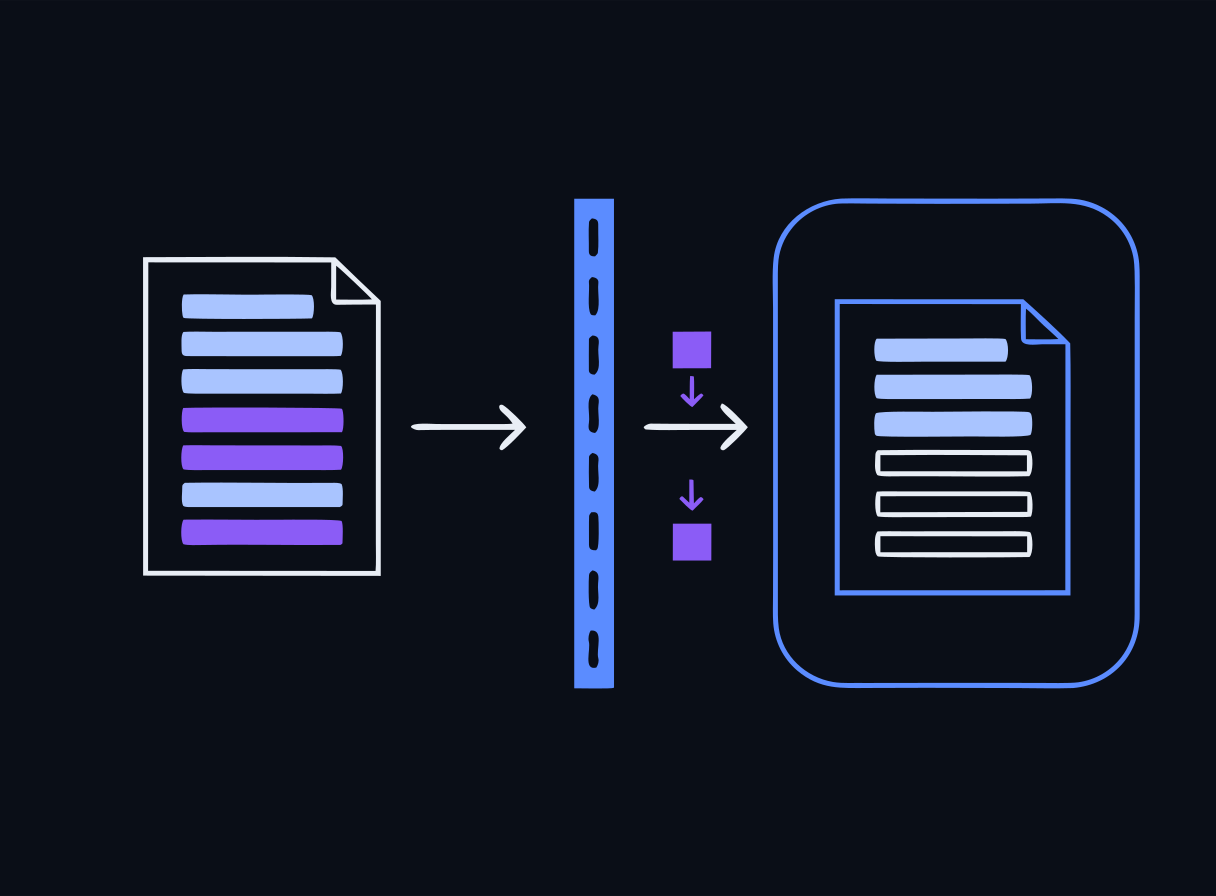 Redact at the input, not at the output
- In transit — TLS/HTTPS between client, gateway, model, and stores.
- At rest — disk/database/volume encryption for prompts, logs, vector stores, and results.
- In use — the hard one. During inference the data is decrypted in memory. Confidential computing / trusted execution environments address this state; for most classroom deployments the practical control is minimizing what sensitive data is ever loaded.
On top of encryption, apply data-reduction controls:
- Anonymization — irreversibly remove identity (e.g., drop the field).
- Redaction — remove sensitive spans from text.
- Masking — partially obscure while keeping format (e.g.,
***-**-1234). - Pseudonymization / tokenization — replace with reversible placeholders under key control.
Defend at the right layer The Day 3 lab’s HR assistant proves the principle: you cannot exfiltrate PII that was never placed in the context. Redacting at the input layer with Microsoft Presidio (PERSON, US_SSN, EMAIL, PHONE, CREDIT_CARD, IP…) removes the attack surface entirely — far stronger than hoping the model refuses.
Monitoring and log sanitization
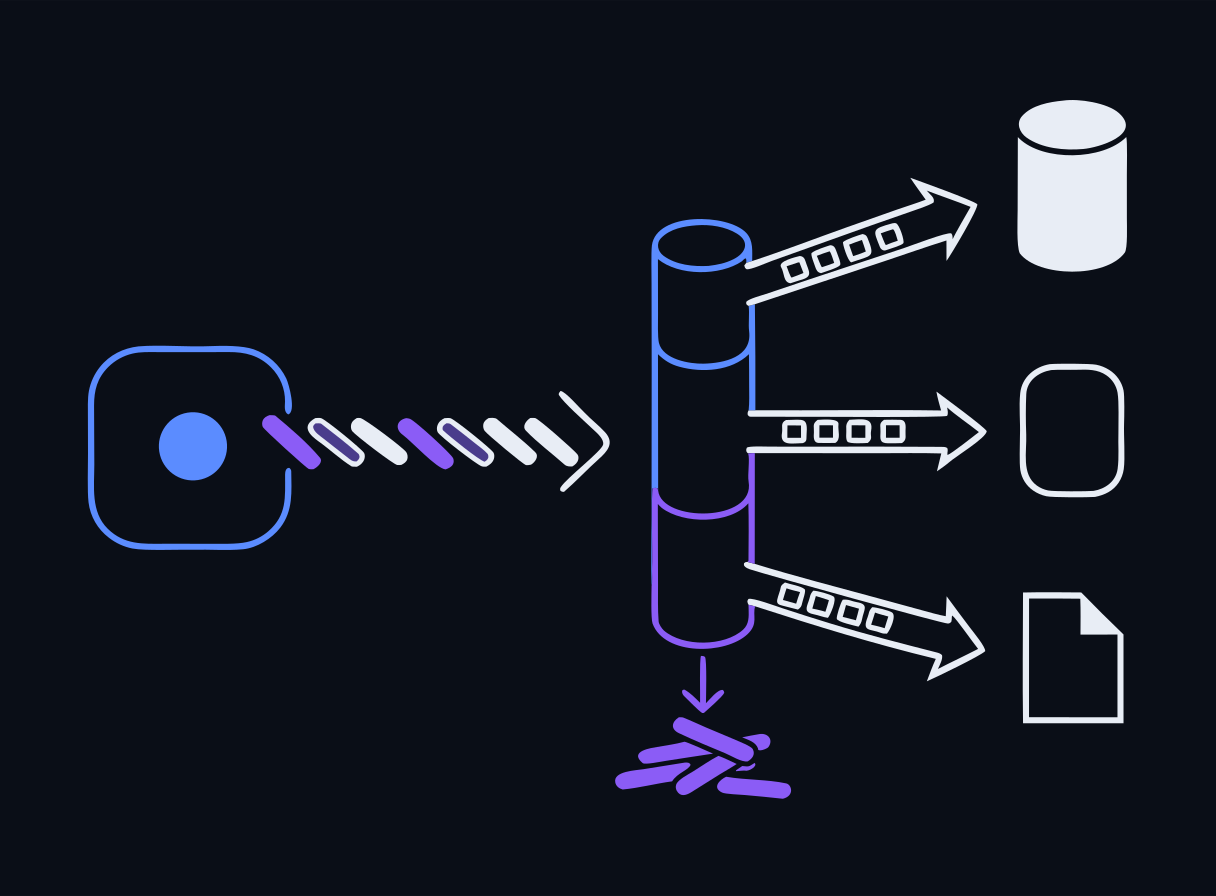
AI systems generate rich logs — and logs are a notorious PII/secret leak. Prompts, retrieved context, and responses often contain names, SSNs, API keys, and tokens. Before logs ship to a SIEM they must be sanitized. The lab runs a two-layer sanitizer:
 Sanitize before the logs leave the box
- Layer 1 — regex for structured secrets and identifiers (Bearer tokens,
sk-andAKIAkeys, JWTs, SSNs, credit cards, emails). Fast enough for high-volume pipelines. - Layer 2 — Presidio NER for unstructured PII (names, locations) that regex misses.
Monitoring is also a detective control: watch for injection patterns, anomalous token consumption (LLM10), and repeated system-prompt-leakage probes (LLM07).
Attacks and compensating controls
We revisit the attack side to connect it to data protection. Prompt-injection and jailbreak families:
- Direct injection — the user’s own text overrides instructions.
- Indirect injection — payload hidden in a retrieved document or web page (the RAG surface).
- Multi-turn / role-play jailbreak — the attacker builds up context or a persona to bypass guardrails.
- System-prompt leakage — coaxing the model to reveal its instructions (and any PII in them).
For each, name the compensating control: input redaction, output scanning, isolation of the vector store, least-privilege context, and human review of consequential actions. Alignment training is not a control — the lab shows a small model may refuse some attacks, but you must never depend on it.
NIST AI RMF 1.0 and AI 600-1
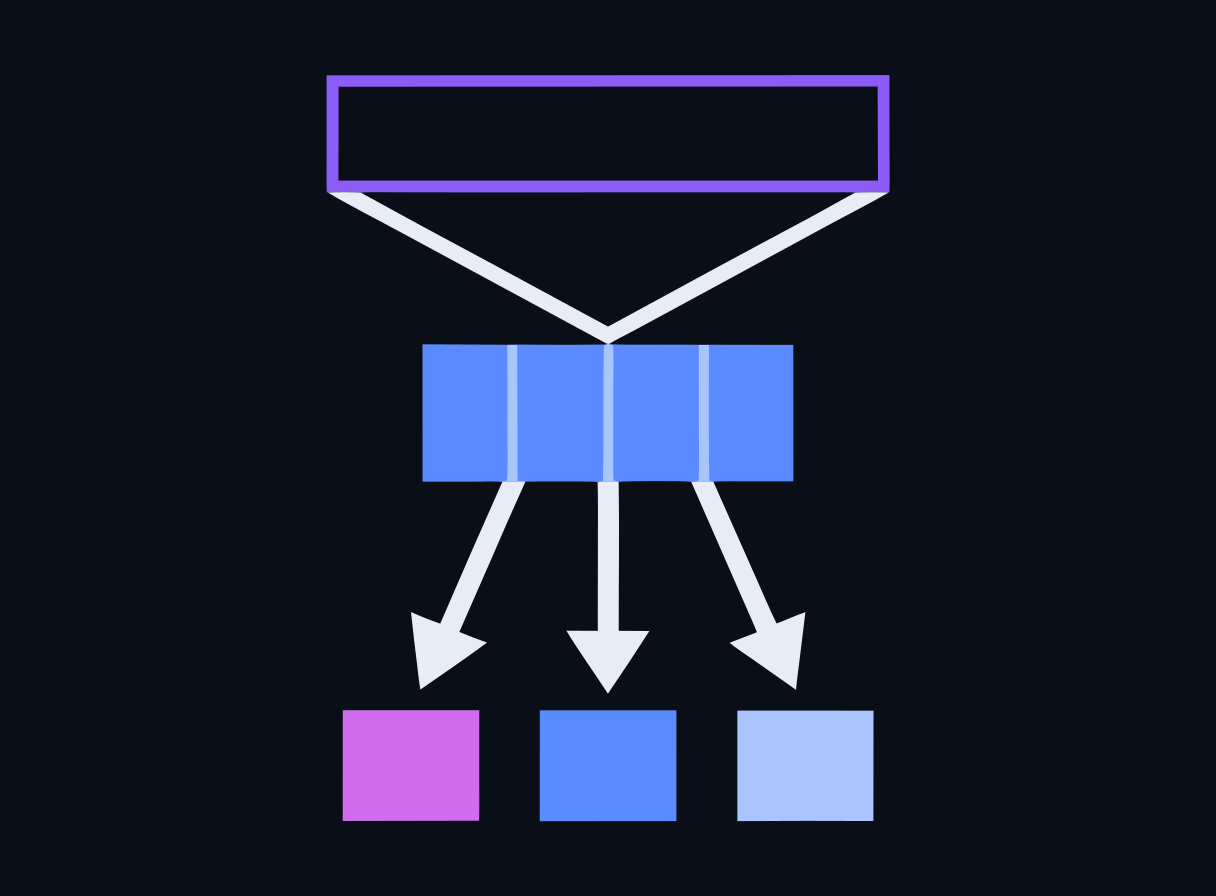
The NIST AI Risk Management Framework 1.0 is the anchor governance model. Its four functions:
 From abstract function to shipped control
- Govern — policies, roles, accountability, culture (this is where Shadow AI discovery and responsible-AI policy live).
- Map — context, intended use, and where risks arise.
- Measure — assess and track risks with metrics and testing.
- Manage — prioritize and act on risks; deploy and monitor controls.
NIST AI 600-1 is the Generative AI Profile — a companion that maps concrete GenAI risks and mitigations onto the RMF. In the lab you complete an AI RMF mapping worksheet for the DataAssist HR-chatbot scenario and relate the redaction/log-sanitization controls to specific Manage-function actions.
EU AI Act
The EU AI Act takes a risk-tiered approach: unacceptable (banned), high-risk (heavy obligations), limited-risk (transparency), and minimal-risk. AI-assisted security tooling can fall into the high-risk tier depending on use.
Date to track (provisional) This course tracks a deferred high-risk obligations date of 2 December 2027 under the Digital Omnibus proposal — provisional and pending final adoption. EU AI Act timelines have moved before; always present this date as provisional and re-verify at content lock.
Responsible AI and Shadow AI
Wrap the day with responsible-AI principles — fairness, transparency, accountability, privacy, safety, and human oversight — which recur across NIST, the EU AI Act, and vendor frameworks. Then confront Shadow AI: staff using unsanctioned AI tools that route sensitive data outside every control we just built. Discovery, clear policy, and a sanctioned alternative (a governed internal tool) are the response — a Govern-function problem, not a purely technical one.
Build the sanctioned alternative The strongest answer to Shadow AI is giving people a private tool that never sends data off the box. Two ready-to-run builds: the local LLM chat starter (a tiny, fully-commented Python client against a local Ollama model — the simplest possible demo of a chatbot, runs offline with no API key) and the secure classroom AI assistant (AnythingLLM + Ollama over your own documents). Both keep the data local — the whole point of today.
Labs
Run these on your own laptop in AnythingLLM or LM Studio — no containers. Each is a full stepped guide with copy-ready prompts and a small data pack. New to the tools? The Labs without Docker page opens with a one-time setup.
Find and redact PII with AI
Use a local AI assistant to locate personal data across structured and unstructured files and produce a redacted version — the data-minimization skill behind every privacy regime.
Red-team a data-protection assistant
Extract protected data from an assistant that guards it only with a prompt — proving that a data-handling rule written into the prompt is not a control.
Docker reference — 4 original bundlesThe reproducible container versions these mirror, and the exam environment. Optional.
Lab Bundle: day3-redaction-monitoring
The reproducible container version of this lab — the exam is built on it, and it's a copy you can take back to your own classroom. The GUI labs above are the hands-on path in class; reach for this when you want the exact reference stack. Cloud VMs are a limited fallback if Docker won't cooperate. Verify the checksum before extracting.
Verify checksum (optional)
# Windows (PowerShell) — compare against the .sha256 file
Get-FileHash day3-redaction-monitoring.zip -Algorithm SHA256

# macOS
shasum -a 256 -c day3-redaction-monitoring.zip.sha256

# Linux
sha256sum -c day3-redaction-monitoring.zip.sha256
Docker not cooperating? There areGUI versions of the Day-1 labs that run in AnythingLLM or LM Studio instead — same objectives, no container stack.
Run locally with Docker (recommended)
# 1. Extract the bundle you downloaded above
#    Windows: right-click the .zip -> "Extract All", or in PowerShell:
#      Expand-Archive day3-redaction-monitoring.zip -DestinationPath .
#    macOS: double-click it. Linux: unzip day3-redaction-monitoring.zip
cd day3-redaction-monitoring

# 2. Start the lab environment
docker compose up -d

# 3. Follow the lab README for the exercise steps
cat README.md
Or run on a cloud VM (limited — ask if you need one)
There are fewer VMs than participants, so they go to people whose local Docker isn't working. Your instructor sends you an IP and a password directly.
# 1. Connect (password auth — no key file needed)
ssh workshop@<your-vm-ip>

# 2. Everything is pre-staged here
cd /opt/secai

# 3. Run a lab (the login message lists every Day-1 command)
docker compose -f vm/docker-compose.yml --profile run run --rm \
  day1-runner python app/rag_pipeline.py
The VM runs the golden compose (vm/docker-compose.yml) with every lab pre-staged and all images and models pre-pulled — no internet needed during the workshop.
Lab Bundle: day3-presidio-recognizers
The reproducible container version of this lab — the exam is built on it, and it's a copy you can take back to your own classroom. The GUI labs above are the hands-on path in class; reach for this when you want the exact reference stack. Cloud VMs are a limited fallback if Docker won't cooperate. Verify the checksum before extracting.
Verify checksum (optional)
# Windows (PowerShell) — compare against the .sha256 file
Get-FileHash day3-presidio-recognizers.zip -Algorithm SHA256

# macOS
shasum -a 256 -c day3-presidio-recognizers.zip.sha256

# Linux
sha256sum -c day3-presidio-recognizers.zip.sha256
Docker not cooperating? There areGUI versions of the Day-1 labs that run in AnythingLLM or LM Studio instead — same objectives, no container stack.
Run locally with Docker (recommended)
# 1. Extract the bundle you downloaded above
#    Windows: right-click the .zip -> "Extract All", or in PowerShell:
#      Expand-Archive day3-presidio-recognizers.zip -DestinationPath .
#    macOS: double-click it. Linux: unzip day3-presidio-recognizers.zip
cd day3-presidio-recognizers

# 2. Start the lab environment
docker compose up -d

# 3. Follow the lab README for the exercise steps
cat README.md
Or run on a cloud VM (limited — ask if you need one)
There are fewer VMs than participants, so they go to people whose local Docker isn't working. Your instructor sends you an IP and a password directly.
# 1. Connect (password auth — no key file needed)
ssh workshop@<your-vm-ip>

# 2. Everything is pre-staged here
cd /opt/secai

# 3. Run a lab (the login message lists every Day-1 command)
docker compose -f vm/docker-compose.yml --profile run run --rm \
  day1-runner python app/rag_pipeline.py
The VM runs the golden compose (vm/docker-compose.yml) with every lab pre-staged and all images and models pre-pulled — no internet needed during the workshop.
Lab Bundle: day3-output-dlp-gate
The reproducible container version of this lab — the exam is built on it, and it's a copy you can take back to your own classroom. The GUI labs above are the hands-on path in class; reach for this when you want the exact reference stack. Cloud VMs are a limited fallback if Docker won't cooperate. Verify the checksum before extracting.
Verify checksum (optional)
# Windows (PowerShell) — compare against the .sha256 file
Get-FileHash day3-output-dlp-gate.zip -Algorithm SHA256

# macOS
shasum -a 256 -c day3-output-dlp-gate.zip.sha256

# Linux
sha256sum -c day3-output-dlp-gate.zip.sha256
Docker not cooperating? There areGUI versions of the Day-1 labs that run in AnythingLLM or LM Studio instead — same objectives, no container stack.
Run locally with Docker (recommended)
# 1. Extract the bundle you downloaded above
#    Windows: right-click the .zip -> "Extract All", or in PowerShell:
#      Expand-Archive day3-output-dlp-gate.zip -DestinationPath .
#    macOS: double-click it. Linux: unzip day3-output-dlp-gate.zip
cd day3-output-dlp-gate

# 2. Start the lab environment
docker compose up -d

# 3. Follow the lab README for the exercise steps
cat README.md
Or run on a cloud VM (limited — ask if you need one)
There are fewer VMs than participants, so they go to people whose local Docker isn't working. Your instructor sends you an IP and a password directly.
# 1. Connect (password auth — no key file needed)
ssh workshop@<your-vm-ip>

# 2. Everything is pre-staged here
cd /opt/secai

# 3. Run a lab (the login message lists every Day-1 command)
docker compose -f vm/docker-compose.yml --profile run run --rm \
  day1-runner python app/rag_pipeline.py
The VM runs the golden compose (vm/docker-compose.yml) with every lab pre-staged and all images and models pre-pulled — no internet needed during the workshop.
Lab Bundle: day3-risk-tiering
The reproducible container version of this lab — the exam is built on it, and it's a copy you can take back to your own classroom. The GUI labs above are the hands-on path in class; reach for this when you want the exact reference stack. Cloud VMs are a limited fallback if Docker won't cooperate. Verify the checksum before extracting.
Verify checksum (optional)
# Windows (PowerShell) — compare against the .sha256 file
Get-FileHash day3-risk-tiering.zip -Algorithm SHA256

# macOS
shasum -a 256 -c day3-risk-tiering.zip.sha256

# Linux
sha256sum -c day3-risk-tiering.zip.sha256
Docker not cooperating? There areGUI versions of the Day-1 labs that run in AnythingLLM or LM Studio instead — same objectives, no container stack.
Run locally with Docker (recommended)
# 1. Extract the bundle you downloaded above
#    Windows: right-click the .zip -> "Extract All", or in PowerShell:
#      Expand-Archive day3-risk-tiering.zip -DestinationPath .
#    macOS: double-click it. Linux: unzip day3-risk-tiering.zip
cd day3-risk-tiering

# 2. Start the lab environment
docker compose up -d

# 3. Follow the lab README for the exercise steps
cat README.md
Or run on a cloud VM (limited — ask if you need one)
There are fewer VMs than participants, so they go to people whose local Docker isn't working. Your instructor sends you an IP and a password directly.
# 1. Connect (password auth — no key file needed)
ssh workshop@<your-vm-ip>

# 2. Everything is pre-staged here
cd /opt/secai

# 3. Run a lab (the login message lists every Day-1 command)
docker compose -f vm/docker-compose.yml --profile run run --rm \
  day1-runner python app/rag_pipeline.py
The VM runs the golden compose (vm/docker-compose.yml) with every lab pre-staged and all images and models pre-pulled — no internet needed during the workshop.
End-of-Day Quiz
Check for understanding — reveal the answer after you've chosen. No score is recorded.
Data can be protected in three states. Which control specifically protects data 'in use' — while it is being actively processed in memory by the model?
Reveal answer
Correct: A. Confidential computing / trusted execution environments (encryption in use)
Encryption in transit (TLS) protects data on the wire; encryption at rest protects stored data; encryption in use — confidential computing / TEEs — protects data while it is decrypted and being processed. AI inference exposes the 'in use' state, which is why it gets special attention.
In the Day 3 lab, an HR assistant holds employee SSNs in its context and attackers try to exfiltrate them. Which control most reliably eliminates the data-exfil attack surface?
Reveal answer
Correct: D. Redacting/anonymizing PII at the input layer with Presidio before it ever enters the context
You cannot leak what is not there. Redacting PII at the input (Microsoft Presidio detects PERSON, US_SSN, EMAIL, etc. and replaces it with placeholders) removes the sensitive data from the context entirely. Model refusal and alignment are unreliable and must not be treated as a data control.
NIST AI RMF 1.0 is organized around four core functions. Which set is correct?
Reveal answer
Correct: D. Govern, Map, Measure, Manage
NIST AI RMF 1.0 uses Govern, Map, Measure, Manage. (Identify/Protect/Detect/Respond/Recover is the NIST Cybersecurity Framework — a common distractor.) The lab worksheet maps the HR-chatbot scenario to these four functions; NIST AI 600-1 adds a Generative AI Profile of controls on top.
Under the EU AI Act, what is the provisional (Digital Omnibus, pending adoption) deadline being tracked for high-risk AI system obligations in this course?
Reveal answer
Correct: A. 2 December 2027 (deferred, provisional)
The course tracks the deferred high-risk obligations date of 2 December 2027 (provisional, per the Digital Omnibus proposal, pending final adoption). Always flag it as provisional and re-verify at content lock, because EU AI Act timelines have shifted.
'Shadow AI' in an organization refers to what?
Reveal answer
Correct: D. Employees using unsanctioned AI tools/services outside governance, risking data leakage and compliance gaps
Shadow AI is the AI analogue of shadow IT: staff pasting sensitive data into unapproved chatbots or standing up ungoverned AI features. It bypasses data-protection and responsible-AI controls, which is why discovery and policy (a Govern-function concern) matter.